English
15
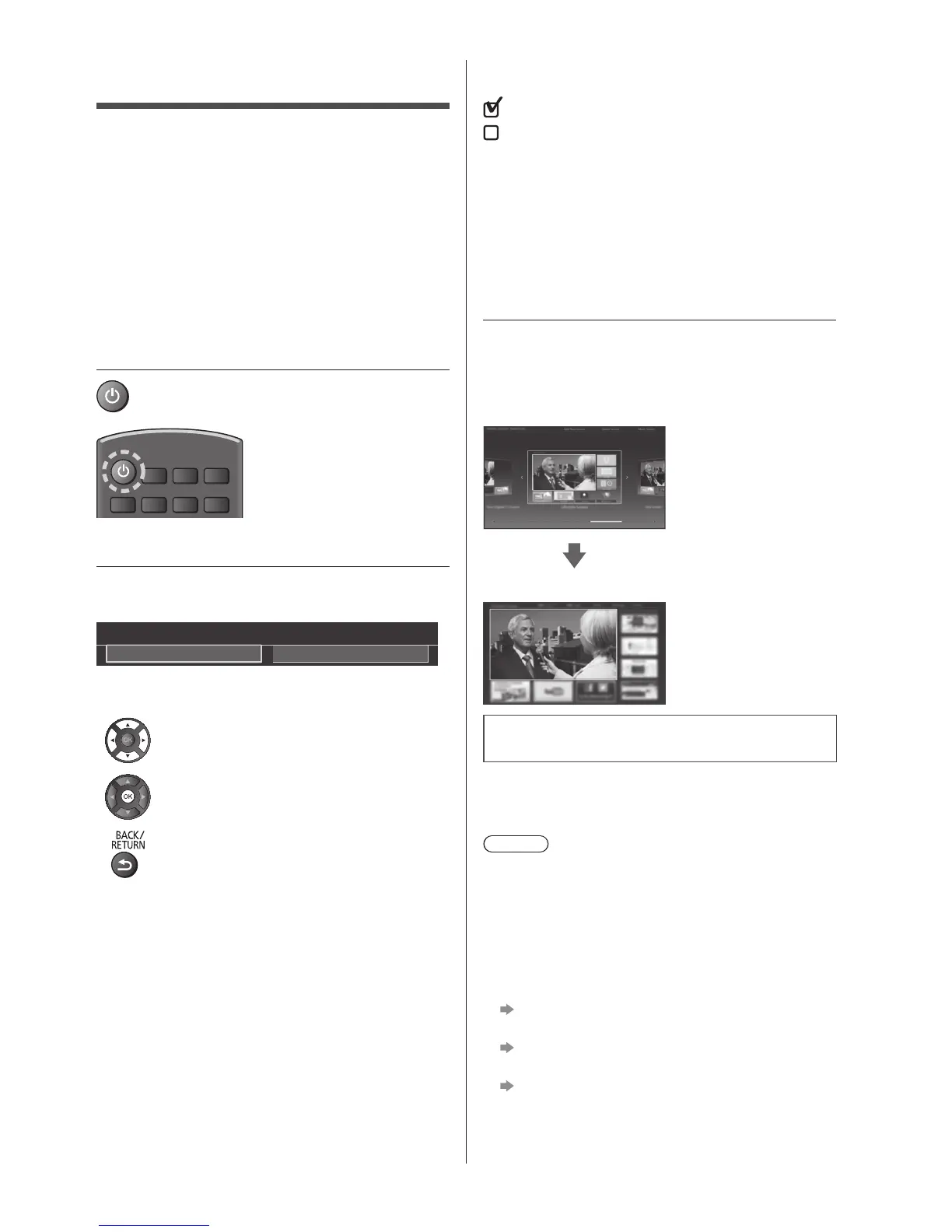
First time Auto Setup
WhentheTVisturnedonforthefirsttime,itwill
automaticallysearchforavailableTVchannelsandgive
optionstosetuptheTV.
●
Thesestepsarenotnecessaryifthesetuphasbeen
completedbyyourlocaldealer.
●
Pleasecompleteconnections(p.9-12)andsettings
(ifnecessary)oftheconnectedequipmentbefore
startingAutoSetup.Forinformationaboutthesettings
fortheconnectedequipment,readthemanualofthe
equipment.
1 Plug the TV into a live mains socket
and turn the power on
●
Takesafewsecondstobedisplayed.
2 Select the following items
Setupeachitembyfollowingtheon-screeninstructions.
Example:
Please select your viewing environment.
Home Shop
■ How to use remote control
Movethecursor
Accesstheitem/storethesetting
Returntothepreviousitem(ifavailable)
Select the language
Select [Home]
Select[Home]foruseinahomeviewingenvironment.
●
[Shop]isforshopdisplay.
●
Tochangetheviewingenvironmentlateron,theset
willneedtohaveallsettingsinitialisedbyaccessing
ShippingCondition.
Set up the network connection
Select your country
●
Dependingonthecountryyouselect,selectyour
RegionorstoretheChildLock-PINnumber(“0000”
cannotbestored).
Tick the TV signal mode to tune, and then select
[Start Auto Setup]
:tune(searchfortheavailablechannels)
:skiptuning
●
AutoSetupscreenvariesdependingonthecountry
andthesignalmodeyouselect.
●
[DVB-CNetworkSettings]
Normallyset[Frequency]and[NetworkID]to[Auto].
If[Auto]isnotdisplayedorifnecessary,enter
[Frequency]and[NetworkID]specifiedbyyourcable
providerwithnumericbuttons.
3 Select the type of [Home Screen]
Thedemonstrationtoexplainhowtouse[myHome
Screen]isdisplayed.Confirmthedemonstrationby
followingtheon-screeninstructions,andthenselectthe
desired[HomeScreen].
Example:[HomeScreenSelection]
Example:[TVHomeScreen]
Auto Setup is now complete and the
TV is ready for viewing.
IftuninghasfailedchecktheSatellitecable,RFcable,
andthenetworkconnection,andthenfollowtheon-
screeninstructions.
Note
●
TheTVgoesintoStandbymodewhennooperation
isperformedfor4hoursif[AutoStandby]intheTimer
Menuissetto[On].
●
TheTVgoesintoStandbymodewhennosignalis
receivedandnooperationisperformedfor
10minutesif[NosignalPoweroff]intheTimerMenu
issetto[On].
●
Toretuneallchannels
[Auto Setup] in [Tuning Menu] (Setup Menu)
●
ToaddtheavailableTVsignalmodelater
[Add TV Signal] in [Tuning Menu] (Setup Menu)
●
Toinitialiseallsettings
[Shipping Condition] in [System Menu] (Setup
Menu)





 To Next Page