EasyManua.ls Logo

Panasonic TX-P50GT60E - User Manual

Panasonic TX-P50GT60E
72 pages
Print Icon
To Next Page IconTo Next Page
Loading...
Operating Instructions
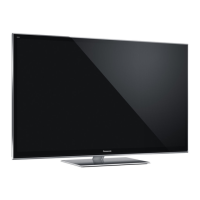
Plasma Television
Thank you for purchasing this Panasonic product.
Please read these instructions carefully before operating this product and
retain them for future reference.
The images shown in this manual are for illustrative purposes only.
Please refer to Pan European Guarantee Card if you need to contact your
local Panasonic dealer for assistance.
English
Nederlands

For more detailed instructions, refer to [eHELP]
(Built-in Operating Instructions).

How to use [eHELP]
(p. 17)
Contents
Be Sure to Read
Important Notice·········································2
Safety Precautions ·····································3
Quick Start Guide
Accessories ··············································6
Connections ·············································· 8
Identifying Controls ··································· 13
First time Auto Setup ································· 15
Using your VIERA
Operations ·············································· 16
How to Use eHELP ··································· 17
Viewing 3D images ··································· 18
Others
FAQs ····················································· 19
Maintenance ··········································· 20
Specifications ·········································· 21
Model No.
TX-P42GT60E
TX-P50GT60E

Other manuals for Panasonic TX-P50GT60E

Question and Answer IconNeed help?

Do you have a question about the Panasonic TX-P50GT60E and is the answer not in the manual?

Summary

Important Notice

Safety Precautions

Mains plug and lead

Warnings and guidelines for safe use of the power cord and plug.

Take care

General cautions regarding electrical shock, moisture, and handling.

Dangerous part; Small object

Warnings about small parts posing a choking hazard to young children.

Pedestal

Guidelines for safe installation and handling of the TV pedestal.

Radio wave

Precautions related to radio wave interference with medical equipment.

Built-in wireless LAN

Safety and usage guidelines for the TV's wireless LAN feature.

Bluetooth wireless technology

Precautions for using Bluetooth functionality to avoid interference.

Ventilation

Importance of adequate airflow around the TV to prevent overheating.

Battery for the Remote Control; 3 D Eyewear

Safety guidelines for handling and replacing batteries.

3 D Eyewear Use

Cautions and best practices for using 3D eyewear.

Viewing 3 D Images

Guidance on safe and comfortable viewing of 3D content.

Connections

Network

Identifying Controls

First time Auto Setup

Operations

How to Use eHELP

Viewing 3 D images

FAQS

The TV does not switch on

Troubleshooting steps for a TV that fails to power on.

The remote control does not work or is intermittent

Solutions for issues with the remote control's functionality.

No image can be displayed

Steps to take when the TV screen shows no picture.

Maintenance

Summary

Important Notice

Safety Precautions

Mains plug and lead

Warnings and guidelines for safe use of the power cord and plug.

Take care

General cautions regarding electrical shock, moisture, and handling.

Dangerous part; Small object

Warnings about small parts posing a choking hazard to young children.

Pedestal

Guidelines for safe installation and handling of the TV pedestal.

Radio wave

Precautions related to radio wave interference with medical equipment.

Built-in wireless LAN

Safety and usage guidelines for the TV's wireless LAN feature.

Bluetooth wireless technology

Precautions for using Bluetooth functionality to avoid interference.

Ventilation

Importance of adequate airflow around the TV to prevent overheating.

Battery for the Remote Control; 3 D Eyewear

Safety guidelines for handling and replacing batteries.

3 D Eyewear Use

Cautions and best practices for using 3D eyewear.

Viewing 3 D Images

Guidance on safe and comfortable viewing of 3D content.

Connections

Network

Identifying Controls

First time Auto Setup

Operations

How to Use eHELP

Viewing 3 D images

FAQS

The TV does not switch on

Troubleshooting steps for a TV that fails to power on.

The remote control does not work or is intermittent

Solutions for issues with the remote control's functionality.

No image can be displayed

Steps to take when the TV screen shows no picture.

Maintenance

Panasonic TX-P50GT60E Specifications

General IconGeneral
BrandPanasonic
ModelTX-P50GT60E
CategoryPlasma TV
LanguageEnglish

Related product manuals