EasyManua.ls Logo

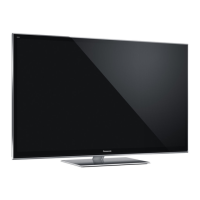
Panasonic TX-P50VT65B - User Manual

Panasonic TX-P50VT65B
44 pages
Print Icon
To Next Page IconTo Next Page
Loading...
© Panasonic Corporation 2013.
Unauthorized copying and distribution is a violation
of law.
ORDER NO.PCZ1303055CE
Plasma Television
Model No. TX-P50VT65B
GPF16D-E Chassis
Question and Answer IconNeed help?

Do you have a question about the Panasonic TX-P50VT65B and is the answer not in the manual?

Summary

1 Safety Precautions and Guidelines

Touch-Current Measurement Procedure

Procedure and network for measuring touch currents.

2 General Warnings

ESD Prevention for Sensitive Devices

Techniques to reduce damage from electrostatic discharge.

5.3 M3 Mini Jack Service Port Specifications

6 Service Mode Operations

How to Enter Service Mode

Procedure to access the service mode and its purpose.

Service Mode Key Commands

Explanation of key commands for navigating service mode.

Exiting Service Mode

Method to exit the service mode.

Service Mode Adjustment Parameters

6.3 Service Tool Mode Functions

Accessing Service Tool Mode

Steps to access the service tool mode.

Displaying SOS History

Information on accessing and understanding SOS history.

DRV and USB HDD Check Procedure

6.6 USB Memory Data Copy Procedures

6.6.3 TV to USB Memory Data Copy

6.6.4 USB Memory to TV Data Copy

7 Troubleshooting Guide

Checking IIC Bus Lines

How to access self-check and check IIC bus lines.

Self-Check Access Methods

Procedures for accessing self-check indications.

Self-Check and Factory Reset

Steps for self-check and factory reset.

Troubleshooting Checkpoints

Confirmation of components if NG is displayed during self-check.

Power LED Blinking Error Codes

7.3 No Power Troubleshooting

7.4 No Picture Troubleshooting

Drive Circuit LED Indicators

Checking LEDs on SC and SS boards for drive circuit status.

7.5 Local Screen Failure Diagnosis

8 Service Fixtures and Tools

9 Disassembly and Assembly Guide

9.2 Disassembly Procedures (Volume 1)

9.2 Disassembly Procedures (Volume 2)

9.2 Disassembly Procedures (Volume 3)

9.2 Disassembly Procedures (Volume 4)

9.2 Disassembly Procedures (Volume 5)

9.2 Disassembly Procedures (Volume 6)

Cabinet Assy Removal from Plasma Panel

Steps to separate the cabinet assembly from the plasma panel.

9.2 Disassembly Procedures (Volume 7)

Plasma Panel Replacement

Caution and procedure for replacing the plasma panel.

10 Measurements and Adjustments

General Adjustments

General section for measurements and adjustments.

Vsus Selection Adjustment

Procedure for selecting Vsus to LOW or HIGH after panel/board replacement.

10.1.2 White Balance Adjustment

11 Block Diagrams

12 Wiring Connection Diagrams

Summary

1 Safety Precautions and Guidelines

Touch-Current Measurement Procedure

Procedure and network for measuring touch currents.

2 General Warnings

ESD Prevention for Sensitive Devices

Techniques to reduce damage from electrostatic discharge.

5.3 M3 Mini Jack Service Port Specifications

6 Service Mode Operations

How to Enter Service Mode

Procedure to access the service mode and its purpose.

Service Mode Key Commands

Explanation of key commands for navigating service mode.

Exiting Service Mode

Method to exit the service mode.

Service Mode Adjustment Parameters

6.3 Service Tool Mode Functions

Accessing Service Tool Mode

Steps to access the service tool mode.

Displaying SOS History

Information on accessing and understanding SOS history.

DRV and USB HDD Check Procedure

6.6 USB Memory Data Copy Procedures

6.6.3 TV to USB Memory Data Copy

6.6.4 USB Memory to TV Data Copy

7 Troubleshooting Guide

Checking IIC Bus Lines

How to access self-check and check IIC bus lines.

Self-Check Access Methods

Procedures for accessing self-check indications.

Self-Check and Factory Reset

Steps for self-check and factory reset.

Troubleshooting Checkpoints

Confirmation of components if NG is displayed during self-check.

Power LED Blinking Error Codes

7.3 No Power Troubleshooting

7.4 No Picture Troubleshooting

Drive Circuit LED Indicators

Checking LEDs on SC and SS boards for drive circuit status.

7.5 Local Screen Failure Diagnosis

8 Service Fixtures and Tools

9 Disassembly and Assembly Guide

9.2 Disassembly Procedures (Volume 1)

9.2 Disassembly Procedures (Volume 2)

9.2 Disassembly Procedures (Volume 3)

9.2 Disassembly Procedures (Volume 4)

9.2 Disassembly Procedures (Volume 5)

9.2 Disassembly Procedures (Volume 6)

Cabinet Assy Removal from Plasma Panel

Steps to separate the cabinet assembly from the plasma panel.

9.2 Disassembly Procedures (Volume 7)

Plasma Panel Replacement

Caution and procedure for replacing the plasma panel.

10 Measurements and Adjustments

General Adjustments

General section for measurements and adjustments.

Vsus Selection Adjustment

Procedure for selecting Vsus to LOW or HIGH after panel/board replacement.

10.1.2 White Balance Adjustment

11 Block Diagrams

12 Wiring Connection Diagrams

Panasonic TX-P50VT65B Specifications

General IconGeneral
Screen Size50 inches
Display TypePlasma
Resolution1920 x 1080 pixels
3DYes
Smart TVYes
Wi-FiYes
HDMI Ports4
USB Ports3
Audio Output20 W
Energy Efficiency ClassB
Refresh Rate600 Hz

Related product manuals