English
12
Do not display any still part of the image for a long period
In such cases the still part of the image remains dimly on the plasma screen (“image retention”). This is not
considered a malfunction and is not covered by the warranty.
Typical still image parts:
Channel number, channel logo and other logos
Still or moving pictures viewed in 4:3 or 14:9 aspect ratio
Video games
Images from PC
To avoid image retention, the contrast is lowered automatically and the screen becomes dim after a few minutes if
no signals are sent or no operations are performed.
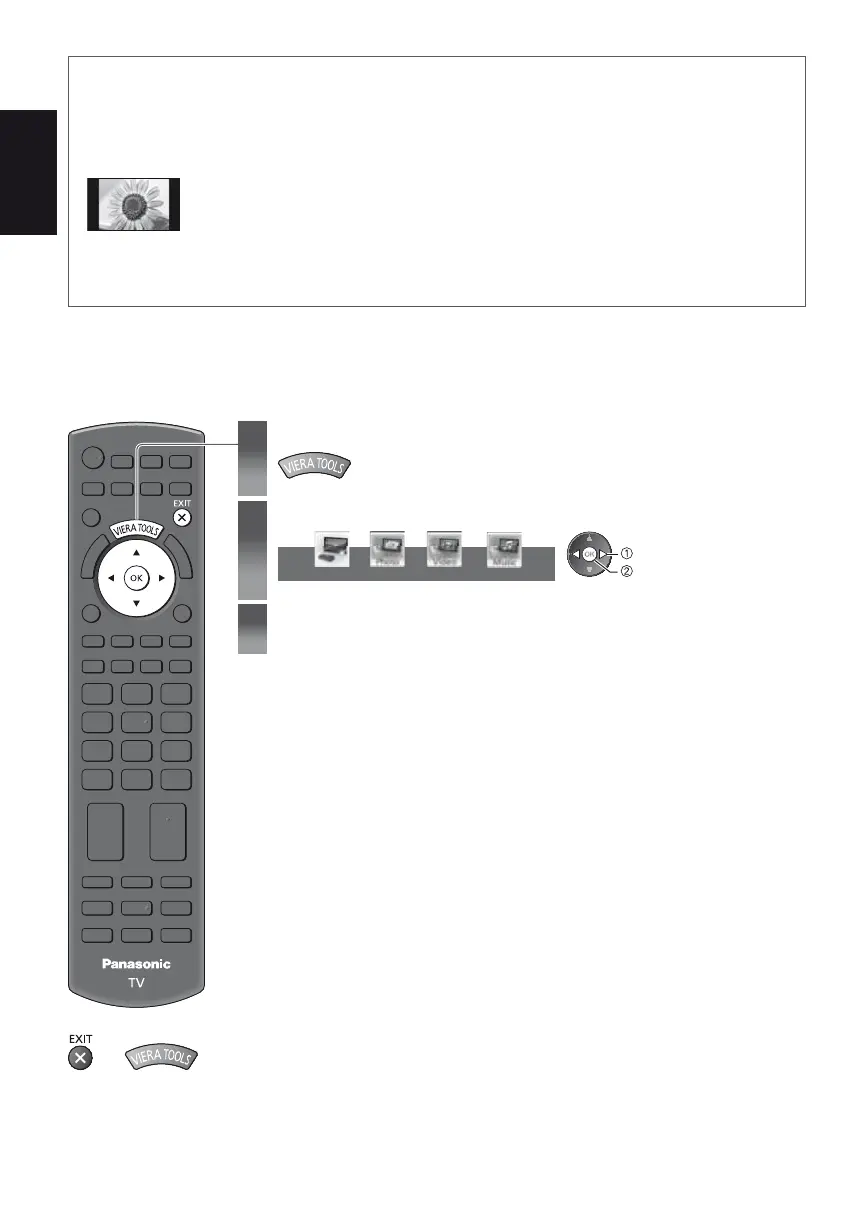
How to Use VIERA TOOLS
You can access some special features easily by using the VIERA TOOLS function.
1
Display icons of the feature
2
Select a feature
VIERA Link
select
access
3
Follow the operations of each feature
To return to TV
or











 To Next Page