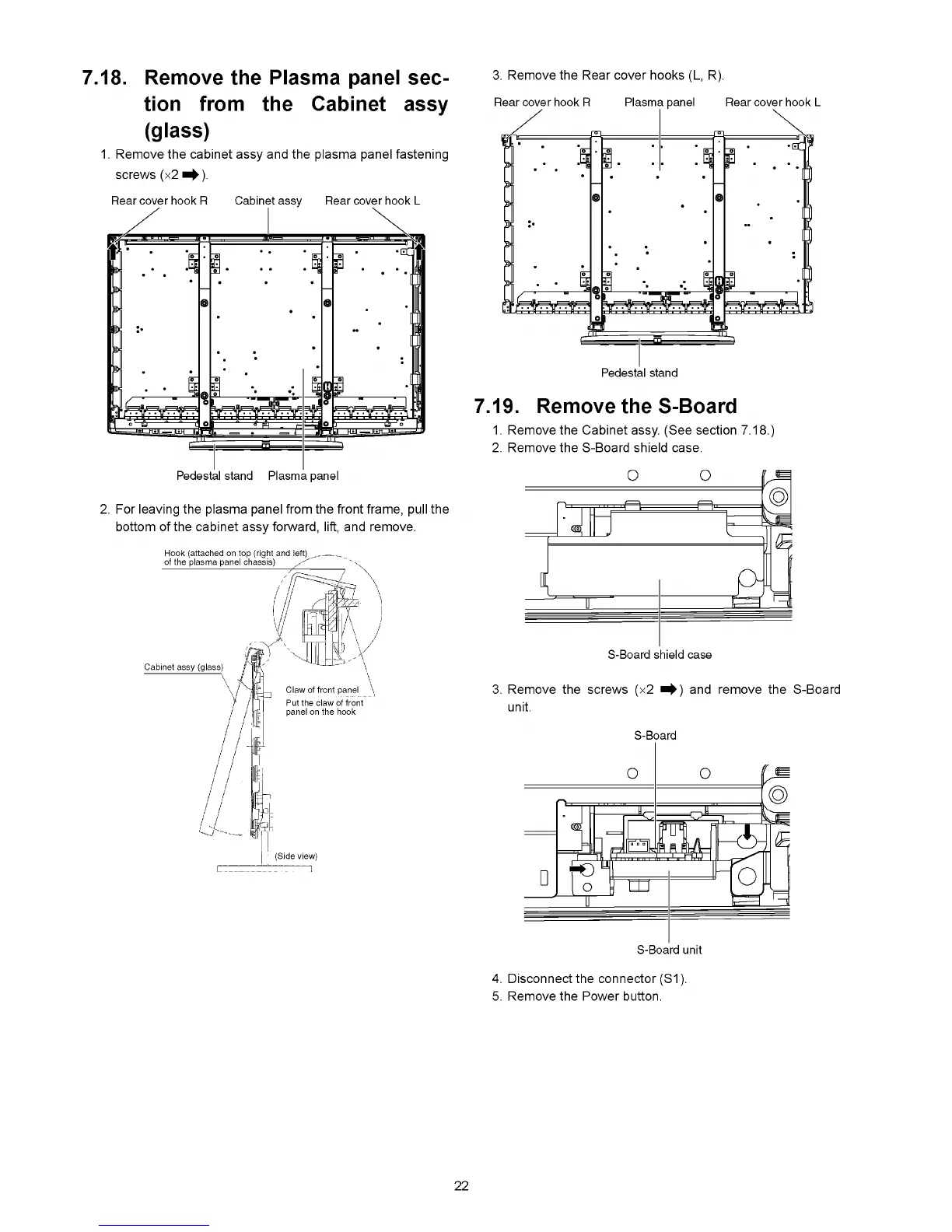
7.18. Remove the Plasma panel sec
tion from the Cabinet assy
(glass)
1. Remove the cabinet assy and the plasma panel fastening
screws (x2 ^ ) .
Rear cover hook R Cabinet assy Rear cover hook L
3. Remove the Rear cover hooks (L, R).
Rear cover hook R Plasma panel I
2. For leaving the plasma panel from the front frame, pull the
bottom of the cabinet assy forward, lift, and remove.
Pedestal stand
7.19. Remove the S-Board
1. Remove the Cabinet assy. (See section 7.18.
2. Remove the S-Board shield case.
3. Remove the screws (x2 and remove the S-Board
unit.
4. Disconnect the connector (S1).
5. Remove the Power button.
22









 To Next Page