- 138 -
DLNA connection
To use DLNA features, you need a home network environment and you can
operate the features without a broadband network environment.
●
To use internet service, you need a broadband network environment.
Network > Network connections > Internet connection
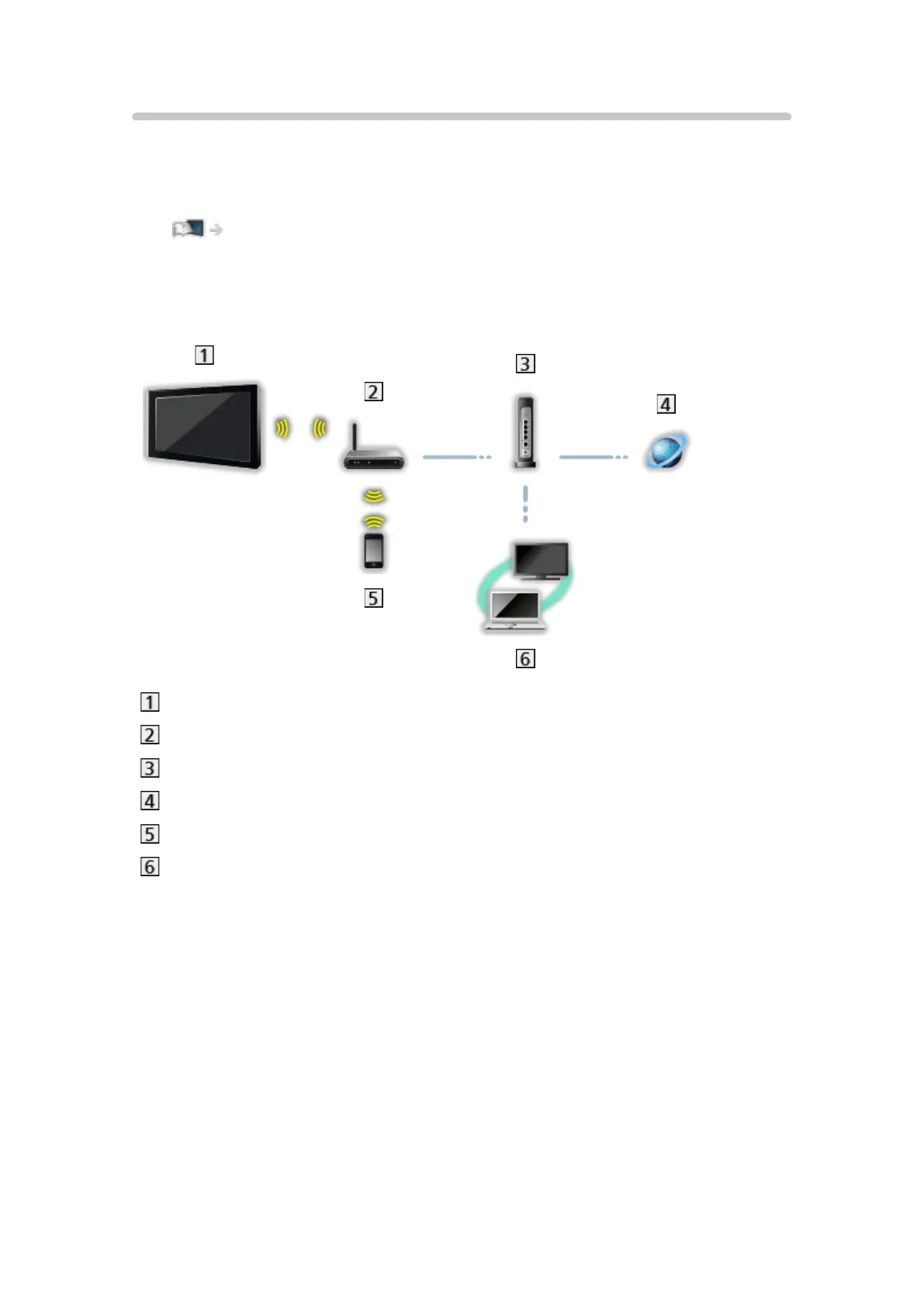
■ Wireless connection (For DLNA and internet service)
Built-in wireless LAN (Rear of the TV)
Access point
Hub or Router
Internet environment
Smartphone
DLNA Certified media server (PC, etc.)






 To Next Page