EasyManua.ls Logo

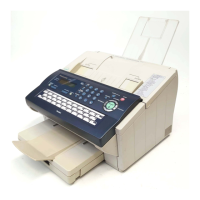
Panasonic UF-7200 - User Manual

Panasonic UF-7200
28 pages
Print Icon
To Next Page IconTo Next Page
Loading...
Facsimile
Operating Instructions
(For User Authentication)
Model No. UF-8200
UF-7200
Before operating this machine, please carefully read this manual, and keep this documentation in a safe place for future reference.
English
General Description
Using Machine
Setting Machine
Appendix

Other manuals for Panasonic UF-7200

Question and Answer IconNeed help?

Do you have a question about the Panasonic UF-7200 and is the answer not in the manual?

Summary

General Description

User Authentication

User authentication via Windows server for machine functions like copy, fax, scan, print.

Job Tracking

Tracks machine usage and sends logs via email to the administrator.

RightFax Server

Enables sending faxes via RightFax Server and managing fax logs centrally.

Using Machine

Login Procedure (Using Copy;Fax;Scanner;Printer)

Steps for users to log in using their Windows account before using machine functions.

Sending a Document via RightFax

How to send faxes using the RightFax server, detailing recipient and sender fields.

Setting Machine

Authentication Setting

System administrator enables/disables user authentication for copy, fax, printer, scanner functions.

Registration of Domain Name

Sets NetBIOS domain names and DNS suffixes for user authentication.

ID Timeout Setting

Configures the time period after which authentication is cancelled if no operation is performed.

Auto Reset Time Setting

Sets the ID timeout period when "AUTO RESET TIME" is selected.

Logon Attempts Setting

Configures the maximum number of allowed logon attempts before system lockout.

Lockout Time Setting

Sets the time period for system lockout after exceeding logon attempts.

Authentication Method Setting

Specifies the authentication method (CLEAR TEXT or NTLM).

Job Tracking Setting

Enables/disables Job Tracking and sets log type and destination email.

RightFax Server Setting

Enables/disables the RightFax server and specifies the server's email address.

Appendix

Administrator Login

Confirms system administrator login to set up authentication functions.

Administrator Name & Password

Details how to change the system administrator's name and password.

Description of Job Tracking Notice

Explains the details included in the job tracking notice email sent to the administrator.

Summary

General Description

User Authentication

User authentication via Windows server for machine functions like copy, fax, scan, print.

Job Tracking

Tracks machine usage and sends logs via email to the administrator.

RightFax Server

Enables sending faxes via RightFax Server and managing fax logs centrally.

Using Machine

Login Procedure (Using Copy;Fax;Scanner;Printer)

Steps for users to log in using their Windows account before using machine functions.

Sending a Document via RightFax

How to send faxes using the RightFax server, detailing recipient and sender fields.

Setting Machine

Authentication Setting

System administrator enables/disables user authentication for copy, fax, printer, scanner functions.

Registration of Domain Name

Sets NetBIOS domain names and DNS suffixes for user authentication.

ID Timeout Setting

Configures the time period after which authentication is cancelled if no operation is performed.

Auto Reset Time Setting

Sets the ID timeout period when "AUTO RESET TIME" is selected.

Logon Attempts Setting

Configures the maximum number of allowed logon attempts before system lockout.

Lockout Time Setting

Sets the time period for system lockout after exceeding logon attempts.

Authentication Method Setting

Specifies the authentication method (CLEAR TEXT or NTLM).

Job Tracking Setting

Enables/disables Job Tracking and sets log type and destination email.

RightFax Server Setting

Enables/disables the RightFax server and specifies the server's email address.

Appendix

Administrator Login

Confirms system administrator login to set up authentication functions.

Administrator Name & Password

Details how to change the system administrator's name and password.

Description of Job Tracking Notice

Explains the details included in the job tracking notice email sent to the administrator.

Panasonic UF-7200 Specifications

General IconGeneral
TypePlain Paper Fax
Copier FunctionYes
CompatibilityG3
Paper SizeA4, Letter, Legal
CompressionMH, MR

Related product manuals