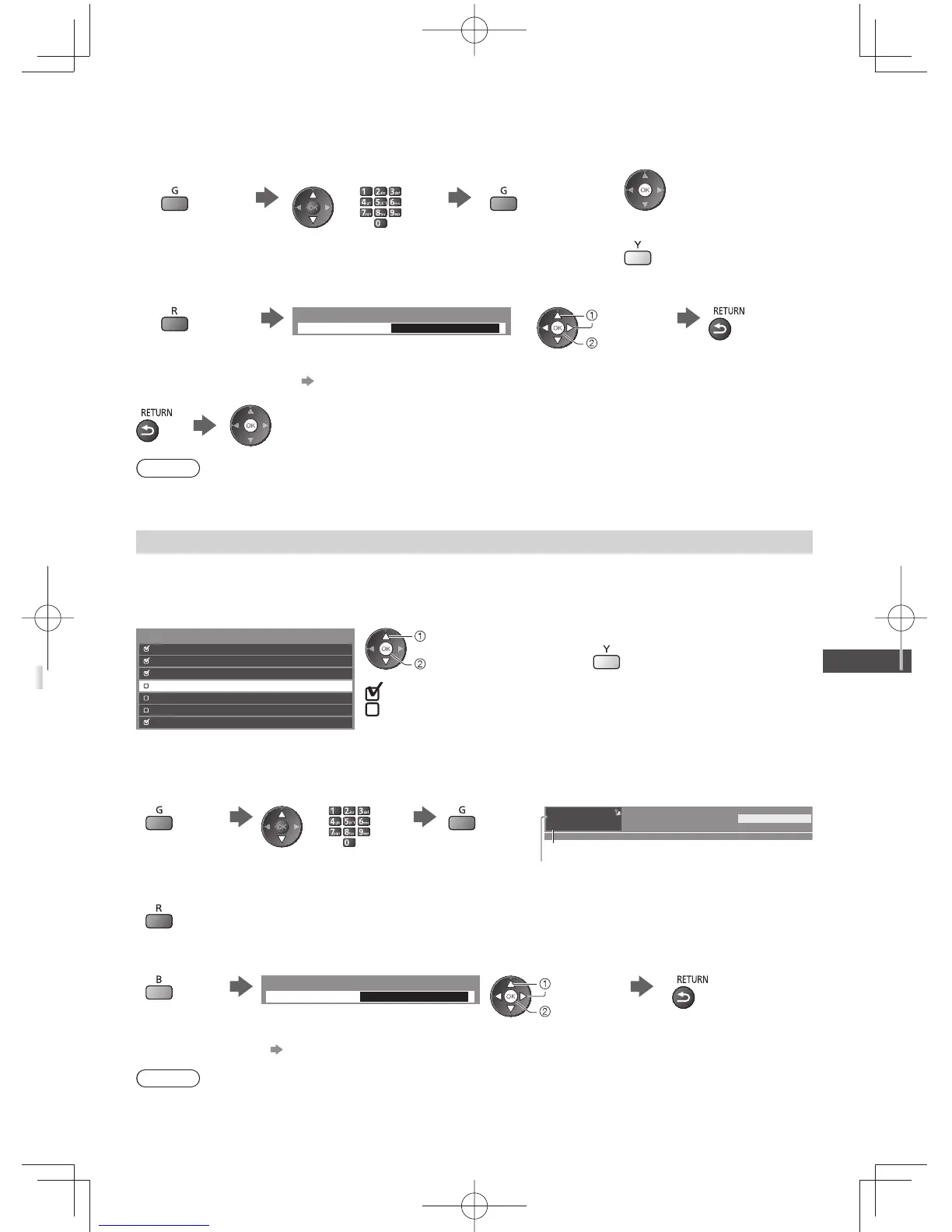
■ To edit Favourites list
While the cursor is in the Favourites field to edit
●
To move the channel
●
To delete the channel
Select the new position Store
or
●
To delete all channels
●
To name the Favourites
Set characters (maximum 10 characters) Store
User input
Name
select
set
●
To use numeric buttons (English only)
(p. 92)
3 Store
Note
●
Channel numbers are defined by the broadcaster and cannot be changed.
●
Hidden channels (see below) can be selected but not viewed.
Skip unwanted channels, Edit Channels [Channel List]
You can hide (skip) unwanted channels.
The hidden channels cannot be displayed except in this function.
Select a channel and reveal / hide
Example: Digital TV
70 CBBC Channel
72 Cartoon Nwk
105 BBCi
719 BBC Radio Wales
720 BBC Radio Cymru
1 BBC ONE Wales
7 BBC THREE
Digital TV Channel List
select
[Reveal] / [Hide]
●
To reveal all channels
: [Reveal]
: [Hide] (skip)
■ To edit channels
●
To swap / move the channel position (if available)
Select the new position Store
Example: Analogue TV
or
1
CH23 5.5MHz
ITV
23:35
All Analogue Channels
Channel position
Channel name
●
To retune each channel ([Manual Tuning] (p. 40))
●
To rename the channel name
Set characters (maximum 5 characters) Store
Edit channel name
Name
select
set
●
To use numeric buttons (English only)
(p. 92)
Note
●
If a VCR is connected only with the RF cable in Analogue TV, edit [VCR].



 To Next Page