CONCEPTSYSTEM EXAMPLESCONNECTIONSPRODUCTSBLOCK DIAGRAMS
23
3
CONNECTIONS
WA-MA120N/WA-MA240N
CONCEPT SYSTEM EXAMPLES CONNECTIONS PRODUCTS BLOCK DIAGRAMS
22
3
CONNECTIONS
WA-MA120N/WA-MA240N
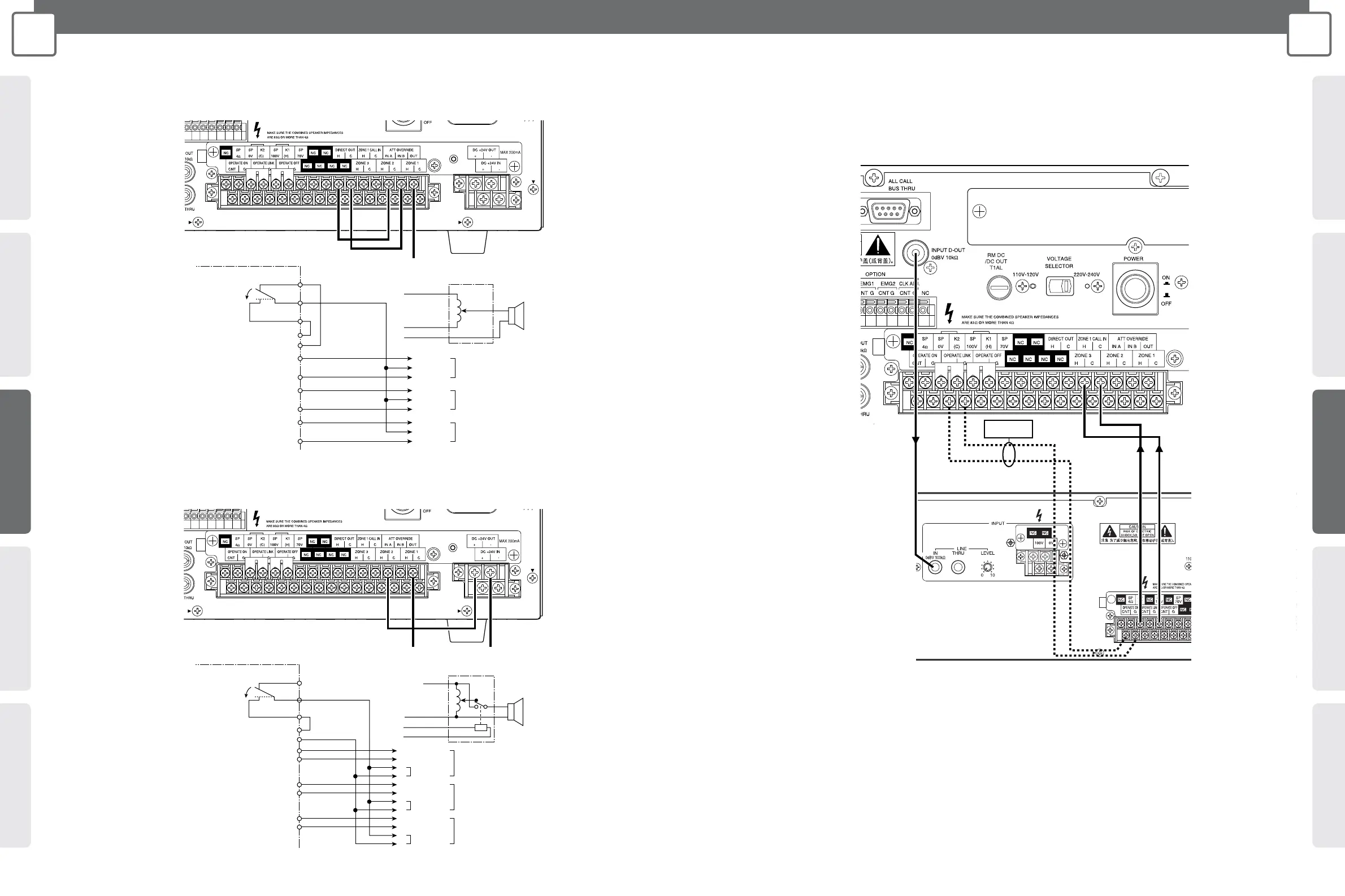
Connecting to Override External Attenuation during All-zone Announcement
(Using 3-wire connection)
Connecting to Override External Attenuation during All-zone Announcement
(Using 4-wire connection)
To external attenuator
Amplifier
All-zone
announcement ON
3-wire connection attenuator
(H)
IN B
OUT
IN A
H
HH
ZONE 1 OVERRIDE ZONE 1 External Attenuator
CC
HH
ZONE 2 OVERRIDE ZONE 2 External Attenuator
CC
HH
ZONE 3 OVERRIDE ZONE 3 External Attenuator
CC
C
DIRECT OUT
ATT OVERRIDE
(H)
(OVERRIDE)
(C)
(C)
To external attenuator
Amplifier
4-wire connection attenuator
All-zone
announcement ON
(H)
IN B
OUT
IN A
+
HH
CC
+
–
HH
CC
+
–
HH
CC
+
–
ZONE 1 External Attenuator
ZONE 2 External Attenuator
ZONE 3 External Attenuator
Relay Power
Relay Power
Relay Power
–
DC +24V OUT
ZONE 1
ZONE 2
ZONE 3
ATT OVERRIDE
(H)
(C)
(0V)
(+24V)
(C)
2-channel Broadcast Announcement Connection
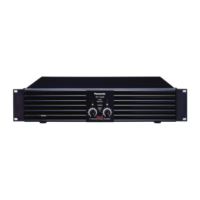
• For 2-channel broadcast announcement, connect the WA-BA240N as shown below.
• Use the gold plated plug (accessories of WA-BA240N) when connecting to LINE IN of WA-BA240N.
• Set the 2-channel announcement volume using the LEVEL knob of WA-BA240N.
Important:
If you want the WA-BA240N to turn on together with the WA-MA120N or WA-MA240N, connect the OPERATE LINK terminal to the OPERATE
ON terminal of the WA-BA240N.
Note:
If other amplifiers except WA-BA240N are required, select appropriate power amplifier rated output in accordance with ZONE1 speaker
impedance.
WA-MA120N
or
WA-MA240N
WA-MA120N
or
WA-MA240N
WA-BA240N
WA-MA120N
or
WA-MA240N




 To Next Page