8
9
1
4
5
6
2
3
7
8
9
10
11
14 18
17
16
15
12
13
02
03
04
05
06
07
01
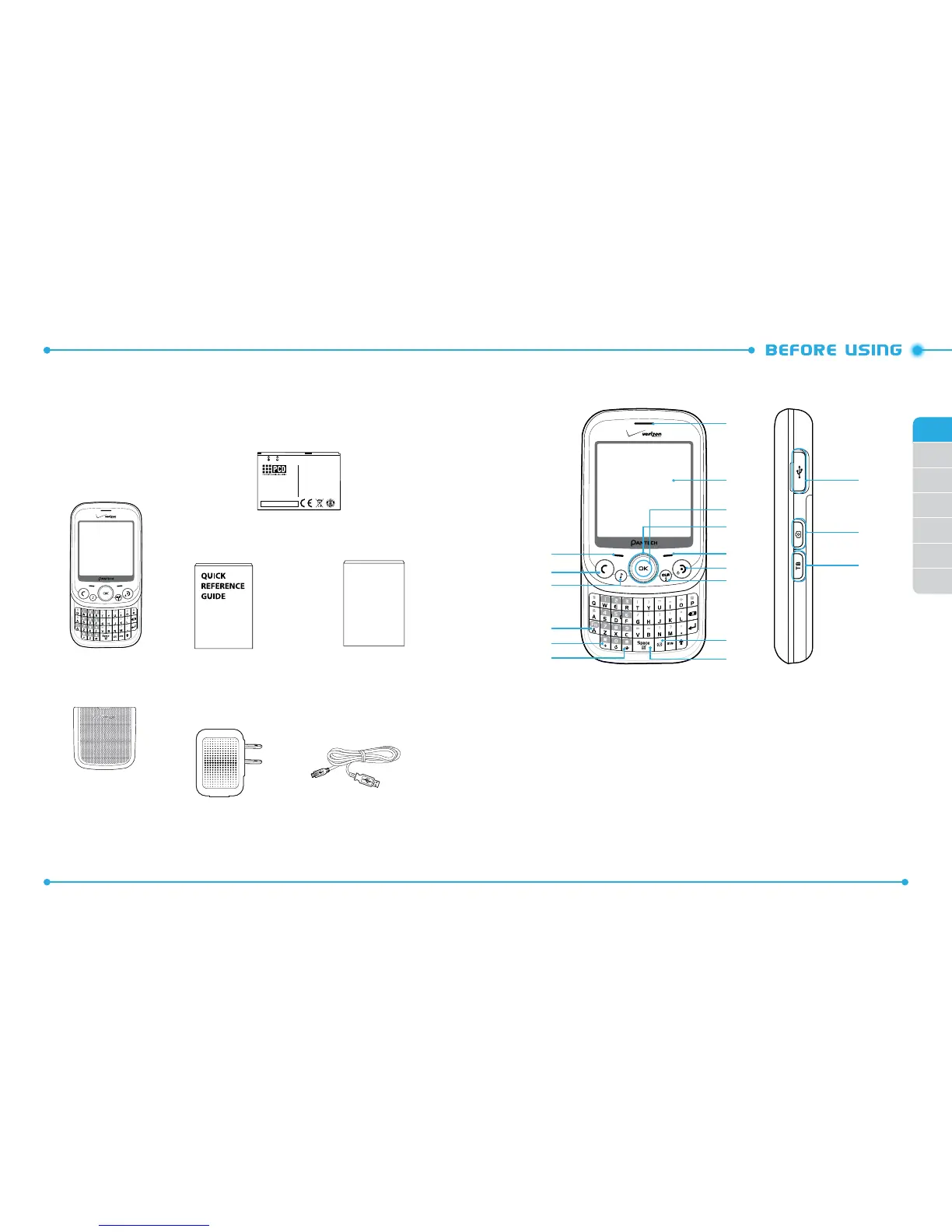
INSIDE THE PACKAGE
This package should include all items pictured below. If any are missing or
dierent, immediately contact the retailer where you purchased the phone.
USB AC Adapter USB Cable
Battery Cover
Handset
QRG
(Quick Reference Guide)
Caution:Do not expose to high temperature
(140 /60 ). Do not disassemble.
Do not allow metal objects to contact or short
circuit the battery terminals. Do not incinerate
or expose to fire. To dispose of properly
(Ex:Recycling number 1-800-822-8837)
Attention: Ne pas exposer a des tempe atures
élevées (140 /60 ). Ne pas démonter . Ne pas
laisser des objets métaliques venir en contact
avec les bornes de pile ni les court-circuiter.
Ne pas incinérer ni faire brûler.
Pour mettre au rebut adéquatement
(Ex:numéro de recyclage 1-800-822-8837)
Cuidado: No exponga a alta temperatura (140
/60 ). No desensamble. No permita que
objetos de metal entren en contacto o hagan
cortocircuito con los terminales de la batería.
No incinere ni exponga al fuego. Para eliminar
en forma adecuada (Por ejemplo:Número de
reciclaje 1-800-822-8837)
Standard Battery
HANDSET DESCRIPTIONS
1. Left Soft Key
2. SEND Key
3. Music Key
4. Favorites/Mode Change Key
5. International Dial Key
6. Vibration Mode Key
7. Notepad + Key / Space Key
8. TXT Composer Key
9. CLR Key / Voice Recognition Key
10. END Key
11. Right Soft Key
12. Directional Key
13. OK Key
14. Display Screen
15. Earpiece
16. Task Bar Key
17. Camera/Video Key
18. Charging/Data Jack
Product Safety &
Warranty Guide
PRODUCT SAFETY
& WARRANTY
GUIDE



 To Next Page