EasyManua.ls Logo

Parasound HALO JC - User Manual

Parasound HALO JC
22 pages
Print Icon
To Next Page IconTo Next Page
Loading...
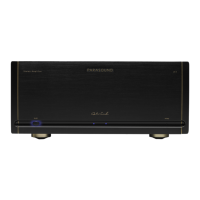
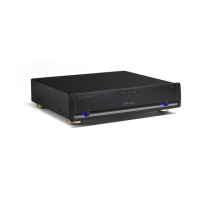
JC 1 Amplifier
Owner’s Guide

Questions and Answers

  • Z
    Zachary RomeroJul 26, 2025
    What to do if my Parasound Amplifier has power but no sound?
    • J
      jleeJul 26, 2025
      If your Parasound Amplifier has power but no sound, check the input connection from the preamplifier or controller, and try a different cable. Also, the over-current protection circuitry might have been activated; in that case, check the speaker load impedance, wires, and connections. Finally, if the amplifier has overheated (the red Hi Temp indicator is on), allow it to cool and ensure adequate ventilation, and verify that the load impedance of each channel is no less than 4 ohms.
  • J
    Juan CunninghamJul 30, 2025
    Why is my Parasound HALO JC producing distorted sound?
    • K
      Kristin KeithJul 30, 2025
      If your Parasound Amplifier produces distorted sound, try connecting a different speaker to the JC 1. If the distortion disappears, the original speaker is likely the problem. If not, switch the left and right input cables; if the distortion moves to the other channel, the issue lies with a component other than the JC 1. Also, check that the Balanced-Unbalanced switch is in the correct position.
  • A
    Angela ChenAug 4, 2025
    What causes my Parasound Amplifier JC 1 to overheat?
    • Y
      ypenningtonAug 4, 2025
      If your Parasound Amplifier is overheating, ensure that the speaker or speaker selector load is 4 ohms or higher. Also, confirm that the JC 1 has adequate ventilation.
  • J
    jhessAug 7, 2025
    How to troubleshoot a Parasound HALO JC Amplifier with no power?
    • S
      Stacey StanleyAug 7, 2025
      If your Parasound Amplifier has no power, make sure the power cord is connected. Check that the Auto Turn On selector switch and the AC Voltage selector switch are in the correct positions. If these steps don't solve the issue, replace the AC fuse with one of the same value.
  • D
    Dr. Samantha ReevesAug 12, 2025
    How to eliminate hum or buzz from Parasound HALO JC Amplifier speakers?
    • N
      Nathan CortezAug 12, 2025
      If you hear hum and/or buzz through the speakers connected to your Parasound Amplifier, try moving the Ground Lift switch to its Lift position to address a potential ground loop between the preamplifier and the JC 1 or at the equipment rack. If the ground loop is from cable TV, install nylon shoulder washers to insulate metal from touching the rack. For cable TV ground loops, you can also install a cable isolation device. For other ground loop issues, contact Parasound Technical Service.
  • F
    feliciamillerAug 16, 2025
    What to do if Parasound Amplifier JC 1 won't turn on with DC voltage?
    • R
      Richard WhiteAug 16, 2025
      If your Parasound Amplifier JC 1 will not turn on with DC voltage, check the polarity of the DC source with a voltmeter and try connecting a 9 V battery to the 12V DC input. Also, ensure that the Auto On selector switch is in its 12V position.
  • W
    wingramAug 20, 2025
    Why Parasound HALO JC JC 1 will not turn on or off with audio signal?
    • K
      Kenneth MossAug 20, 2025
      If your Parasound Amplifier JC 1 will not turn on with an audio source, make sure the Auto On selector switch is in its Audio position. Adjust the Audio trigger Sensitivity knob counterclockwise toward 50 mV or clockwise toward 200 mV.

Summary

Thank You and Introduction

Unpacking Your JC 1

Instructions for safely removing the amplifier from its packaging and inspecting for damage.

Record Keeping

Guidance on recording serial numbers, dealer information, and purchase dates for future use.

Important Warranty Information

Key details regarding warranty coverage, authorized dealers, and serial number policies.

Placement Guidelines for Your JC 1

Rack Mounting Your Parasound JC 1

Detailed instructions on attaching rack mount adapters and installing the JC 1 into a 19-inch equipment rack.

Connecting to Balanced Inputs

Setup and Requirements

Lists necessary cables, components, and pre-connection checks for balanced audio connections.

Connection Procedure

Step-by-step instructions for physically connecting balanced audio cables to the JC 1.

XLR Jack Configuration

Explains balanced XLR jack pin configuration and compatibility with other audio components.

Connecting to Unbalanced Inputs

Setup and Requirements

Lists necessary cables, components, and pre-connection checks for unbalanced audio connections.

Connection Procedure

Step-by-step instructions for physically connecting unbalanced audio cables to the JC 1.

Connecting Speakers

Speaker Terminals and Requirements

Describes supported terminals, needed wires, and connectors for speaker connections.

Connection Procedure

Detailed steps for connecting speaker wires to the amplifier and speakers.

Polarity Importance

Emphasizes correct speaker polarity for optimal sound quality and system integrity.

Turn On-Off Options

Manual Operation

How to manually turn the amplifier on and off using the front panel button.

Automatic Turn-On Setup

Setting up and configuring automatic turn-on via audio signal or DC trigger.

Connection Procedure

Steps to connect an audio source for automatic turn-on functionality.

Turn-Off Delay Feature

Explains the turn-off delay feature in audio mode to prevent unintended shutdowns.

Automatic Turn On-Off with DC Trigger

Requirements and Setup

Lists required trigger wire, control component, and pre-connection steps.

Connection Procedure

Steps to connect the trigger wire between the JC 1 and the external DC source.

Wire Termination Advice

Advice on terminating the trigger wire if the control component lacks a standard connector.

Triggering Other Components

Requirements and Setup

Details the trigger wire, component requirements, and setup precautions.

Connection Procedure

Instructions for connecting the JC 1's trigger output to another device.

Automatic Turn On Delay Time

Explains how to set a delay for the JC 1's turn-on sequence to avoid surges.

Wire Adaptation

Guidance on adapting trigger wires for non-standard connectors.

Indicators and Controls

Power Indicators

Describes AC present, on/off, and high-temp indicator lights on the front panel.

Ground Switch Function

Details the function of the Ground switch for hum reduction and its positions.

Bias Level Switch Function

Explains the two bias settings and their impact on sound quality and heat.

AC Power Connections

Requirements

Lists the AC power cord and outlet as necessary items for connecting the amplifier.

Connection Procedure

Step-by-step instructions for connecting the AC power cord to the amplifier and outlet.

Maintenance and Care

Exterior Cleaning

Instructions for cleaning the amplifier's exterior with a soft cloth.

Main Power Fuse Information

Information regarding the main power fuse and when to contact service.

Troubleshooting Common Issues

Power and Turn-On Problems

Addresses issues related to no power, DC voltage turn-on, and audio source turn-on.

Audio Output and Sound Quality

Solutions for no sound, distorted sound, hum, and buzz.

Overheating and Ventilation

Troubleshooting steps for overheating, including checking ventilation and load.

Servicing and Returns

Technical Support and Service

Contact information and initial support steps for servicing the JC 1.

Returning Unit for Service

Guide for returning the unit for repair, including RA numbers and documentation.

Service Acceptance Policy

Lists conditions under which units will not be accepted for service.

Shipping Precautions

Crucial advice on proper packing and shipping procedures to prevent damage.

Technical Explanations

Audio Trigger Sensitivity

Explains how to adjust the sensitivity for the audio auto-turn-on feature.

Input Connection Types

Compares balanced and unbalanced audio connections and their benefits.

Cable and Wire Selection

Offers advice on selecting interconnects and speaker wire, including length and gauge.

Signal Polarity

Discusses signal polarity and how the JC 1 handles it.

Technical Explanations (Continued)

Eliminating Ground Loops

Detailed methods for preventing hum and buzz caused by ground loops.

Level Control Design

Explains why the JC 1 lacks a level control and its design philosophy.

Bi-Wiring Capability

Describes the dual binding posts and their use for bi-wiring.

Design Overview

Designer and Development

Background on designer John Curl and CTC Builders.

Power Supply and Soft Start

Details the power supply components and the soft start circuit.

Amplifier Stages and Topology

Explains the input, driver, output stages and complementary topology.

Design Overview (Continued)

Class A;AB Operation Mode

Explains the amplifier's Class A/AB operation and its sonic benefits.

Protection Systems

Details the relay, DC servo, current overload, and fuse protection systems.

Chassis Construction

Describes the construction and material of the amplifier's chassis.

Technical Specifications

Power and Performance Specs

Lists power output, Class A output, current capacity, slew rate, and dynamic headroom.

Audio Quality Specs

Details frequency response, THD, IM distortion, TIM, and signal-to-noise ratio.

Input and Trigger Specs

Specifies input impedance, sensitivity, and auto-on trigger requirements.

Physical and Electrical Specs

Provides dimensions, power requirements, and weight.

Parasound HALO JC Specifications

General IconGeneral
BrandParasound
ModelHALO JC
CategoryAmplifier
LanguageEnglish

Related product manuals