EasyManua.ls Logo

Parasound Halo A 52 - User Manual

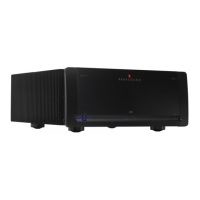
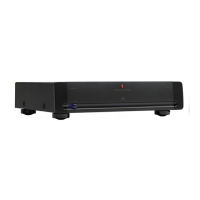
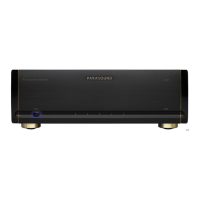
Parasound Halo A 52
21 pages
Print Icon
To Next Page IconTo Next Page
Loading...
A 52 Amplifier
Owner’s Guide

Questions and Answers

  • Q
    qbaldwinAug 13, 2025
    How to fix Parasound Halo A 52 Amplifier with no power?
    • J
      Jose GallagherAug 14, 2025
      If your Parasound Amplifier has no power, first, ensure the power cord is securely connected to a live AC outlet. Then, check the Auto Turn On selector switch to ensure it's in the correct position. Finally, inspect the AC fuse and replace it with one of the same value if it's blown.
  • T
    Timothy HallAug 17, 2025
    What to do if my Parasound Amplifier has power but no sound?
    • A
      Ashley ChaneyAug 17, 2025
      If your Parasound Amplifier powers on but produces no sound, check the input connections from your surround controller. You can also try using a different set of cables to rule out a bad connection.
  • M
    Max YoungAug 21, 2025
    Why is my Parasound Amplifier producing distorted sound?
    • A
      Andrew CollinsAug 21, 2025
      If your Parasound Amplifier is producing distorted sound, there are several potential causes: * A damaged speaker: Connect each speaker to another channel on the A 52. If the same speaker remains distorted, the speaker or its wire is damaged. If the other speaker distorts, the problem may be with the A 52, the surround controller, or a source component. * A problem with the surround controller or source component: Switch the input cables. If distortion moves to another channel, the problem is with a component other than the A 52. * The Balanced-Unbalanced Input switch is in the incorrect position: Move it to the correct position for the jacks in use.
  • A
    Anthony DuranAug 25, 2025
    How to stop hum or buzz through Parasound Amplifier speakers?
    • G
      gloriatrujilloAug 25, 2025
      If you're experiencing hum or buzz through your Parasound Amplifier speakers, it could be due to several reasons: * A ground loop between the surround controller and the A 52 or at the equipment rack: Move the Ground switch to its Lift position. Install nylon shoulder washers on both sides of the panels of all equipment to insulate metal from touching the rack. * A ground loop from cable TV: Move the Ground switch to its Lift position. Install a cable isolation device. * Load impedance at speaker terminals is too low: Make sure the speaker or speaker selector load is 4 ohms or higher.
  • J
    John LeeAug 29, 2025
    What to do if Parasound Halo A 52 On-Off button glows red?
    • S
      Scott GarciaAug 29, 2025
      If the On-Off button on your Parasound Amplifier glows red and the channel indicator(s) are off, it indicates that the over-current protection circuitry has been activated or the unit has overheated. Check the speaker load impedance, speaker wires, and connections. Also, allow the A 52 to cool and ensure adequate ventilation around it. Be sure the load impedance of each channel is no less than 4 ohms.
  • J
    Jennifer SteeleSep 2, 2025
    Why Parasound Amplifier auto turn on doesn’t function with a trigger voltage?
    • T
      Todd AlvarezSep 2, 2025
      If the auto turn on feature on your Parasound Amplifier isn't working with a trigger voltage, check the polarity of the DC source with a voltmeter. You might also try connecting a 9V battery to the 12V DC input. Also, ensure that the Auto Turn On selector switch is in its 12V position.
  • C
    Cynthia BassSep 5, 2025
    Why Parasound Amplifier auto turn on doesn’t function with an audio input signal?
    • M
      Michael FlemingSep 5, 2025
      If the auto turn on feature on your Parasound Amplifier isn't working with an audio input signal, make sure the Auto Turn On selector switch is in its Audio position. If it still doesn't work, turn the Audio trigger Sensitivity knob counterclockwise.
  • B
    Benjamin CarterSep 9, 2025
    What to do if Parasound A52 Amplifier will not turn off when audio signal is removed?
    • K
      Keith CunninghamSep 9, 2025
      If your Parasound A52 Amplifier won't turn off when the audio signal is removed, it could be that the sensitivity level is too high. Try turning the Sensitivity knob clockwise toward 250 mV.

Summary

Placement Guidelines for Your A 52

Rack Mounting Your Parasound A 52

Instructions on how to mount the A 52 amplifier into a 19" equipment rack using specific brackets.

Connecting a Surround Controller to the Balanced Inputs

Balanced Input Connections

Using balanced XLR connections for optimal sound quality with surround controllers.

Connecting a Surround Controller to the Unbalanced Inputs

Unbalanced Input Connections

Using unbalanced RCA inputs when the surround controller lacks balanced outputs or for preference.

Connecting Your Speakers to the A 52

Speaker Terminal Connections

Details on the A 52's speaker terminals accepting banana plugs, spade lugs, or bare wire ends.

Turn-On-Off Options

Manual Operation

How to manually turn the A 52 amplifier on and off using the front panel button.

Automatic Audio Trigger

Setting up automatic turn-on/off based on the presence of an audio signal.

Connecting an External DC Source for Automatic Turn-On-Off

Connecting the A 52 to Trigger Another Component

Understanding the Indicators on the A 52

Status Indicators Overview

Explanation of AC presence, operational status, channel status, and high-temp indicators.

Connecting the A 52 AC Power Cord

AC Power Connection Guidelines

Recommendations for plugging into the same AC circuit and voltage operation details.

Maintaining Your A 52

Cleaning and Fuse

Guidance on cleaning the exterior and advice regarding the main power fuse.

Troubleshooting Guide

Common Issues and Solutions

Comprehensive guide covering power, turn-on, sound, distortion, hum, and overheating issues.

Servicing Your A 52

Service and Return Procedure

How to get help, return the unit, and important shipping precautions for service.

Technically Speaking

Audio Signal Handling

Covers audio trigger sensitivity, balanced vs. unbalanced lines, and ground loop elimination.

Wiring and Cable Selection

Guidance on preparing bare speaker wire ends and choosing interconnects/speaker wires.

Parasound A 52 Design Overview

Design Philosophy and Components

Overview of designer, parts selection, power supply, and circuit topology.

Key Circuitry Features

Details on soft start circuit and input stage design for optimal performance.

Parasound A 52 Design Overview Continued

Amplifier Stages and Protection

Explains driver, output stages, Class A-A/B operation, and various protection systems.

Parasound A 52 Specifications

Performance Specifications

Details power output, frequency response, distortion, S/N ratio, and input characteristics.

Trigger and Physical Specifications

Lists trigger requirements, dimensions, power needs, and weight.

Parasound Halo A 52 Specifications

General IconGeneral
Channels5
Input Impedance47 kOhms
TypeMulti-channel power amplifier
Power per channel (4 Ohms)250 Watts
ClassAB
THD0.05%
Frequency Response10 Hz - 100 kHz
S/N Ratio110 dB
Damping Factor800 at 20 Hz

Related product manuals