EasyManua.ls Logo

Parasound Halo P 3 - User Manual

Parasound Halo P 3
28 pages
Print Icon
To Next Page IconTo Next Page
Loading...
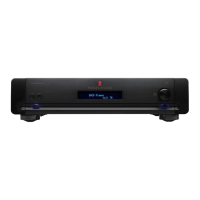
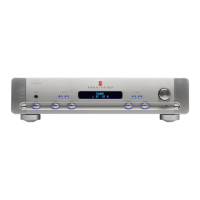
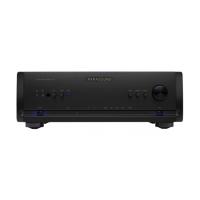
P 3 Preamplifier
Owner’s Guide

Questions and Answers

  • R
    Rebecca AllisonJul 30, 2025
    What to do if my Parasound Halo P 3 Amplifier has power but no sound?
    • R
      Rachel MartinJul 30, 2025
      If your Parasound Amplifier has power but no sound, there are several possible causes: * The volume control may be turned down. Increase the volume control setting. * There may be a bad connection to the power amplifier. Check the output connections. * The External Loop jumpers could be missing. Replace the External Loop jumpers. * Your P 3 might be muted. Press the Mute button or adjust the Volume knob or remote buttons to unmute the P 3.
  • D
    dawngeorgeAug 5, 2025
    How to fix a Parasound Halo P 3 Amplifier that has no power?
    • A
      Amy ReeseAug 5, 2025
      If your Parasound Amplifier has no power, it could be due to a disconnected power cord. Connect the power cord. Alternatively, the voltage selector switch might be in the wrong position. Ensure the Voltage selector switch is in the correct position for your region.
  • L
    lopezdavidAug 10, 2025
    Why is the sound distorted through my Parasound Halo P 3 Amplifier speakers?
    • V
      vparkAug 10, 2025
      Distorted sound through your Parasound Amplifier speakers can stem from several issues: 1. A damaged speaker. Exchange the left and right speaker cables. If the same speaker is distorted, the speaker is damaged. If not, the problem may be with your power amplifier or further up the signal path. 2. A problem with the power amplifier or source component. Exchange the left and right P 3 output cables. If distortion stays in the same channel, the problem is after the preamplifier. 3. The P 3 Balance is adjusted all the way to the left or right. Re-adjust with the Balance buttons. 4. A ground loop from cable TV. Move the ground switch on the power amplifier to its lift position.
  • R
    Raymond PorterAug 16, 2025
    How to eliminate hum or buzz from Parasound Halo P 3 speakers?
    • J
      Jasmine SimsAug 17, 2025
      Hum or buzz through your Parasound Amplifier speakers can be caused by: * A ground loop between the P 3 and power amplifier. Move the ground switch on the power amplifier to its lift position. * A ground loop within equipment rack. Install nylon shoulder washers on both sides of the rack-mounted panels of all equipment to prevent the P 3 from making any metal-to-metal contact with the rack.
  • K
    kelly66Aug 23, 2025
    What to do if my Parasound Amplifier P 3 will not turn on with DC trigger voltage?
    • J
      Jennifer WernerAug 25, 2025
      If your Parasound Amplifier P 3 will not turn on with DC trigger voltage, it could be due to: * A blown AC fuse. Replace the fuse with one of the same value. * The DC trigger source wired with reverse polarity or voltage too low. Check the polarity of the DC trigger source with a voltmeter.

Summary

Connecting Source Components to Inputs

Balanced Direct 1 Inputs

Connecting source components to the P 3's balanced XLR input jacks for optimal sound quality.

Unbalanced Direct 1 Inputs

Connecting source components with RCA output jacks to the P 3's unbalanced Direct 1 inputs.

Unbalanced Direct 2 Inputs

Connecting a second source component to the P 3's unbalanced Direct 2 RCA input jacks.

Aux Inputs for Turntables and Other Components

Connecting turntables to Aux-Phono and other sources to Aux-Line jacks.

CD and Tuner Inputs

Connecting CD players, tuners, or other line-level sources to the P 3's CD and Tuner jacks.

Analog Tape Deck Connections

Connecting analog tape recorders to the P 3's Tape Play/In and Rec/Out jacks.

External Signal Processing Component

Using External Loop jacks to insert signal processors into the P 3's signal path.

Connecting to Power Amplifiers and Systems

Balanced Inputs on Power Amplifier

Connecting the P 3 to a power amplifier using balanced XLR outputs.

Unbalanced Inputs on Power Amplifier

Connecting the P 3 to a power amplifier using unbalanced RCA outputs.

External Trigger Voltage

Turning the P 3 on automatically via an external DC voltage source.

Triggering Other Components

Using the P 3's trigger output jack to control other components.

Operating the P 3

Troubleshooting Guide

Main Power Fuse Issues

Information regarding the main power fuse and when to contact service.

Servicing Your P 3

Technically Speaking

Technical Details and Circuitry

Parasound Halo P 3 Specifications

General IconGeneral
TypePreamplifier
Inputs1 x XLR
Outputs2 x RCA, 1 x XLR
Total Harmonic Distortion< 0.01%
Signal-to-Noise Ratio> 100 dB
Output Impedance100 Ω
Dimensions3.5 x 15.75 inches
Frequency Response10Hz - 100kHz (+0/-0.5dB)

Related product manuals