EasyManua.ls Logo

Parkside PPS 40 A1 - User Manual

Parkside PPS 40 A1
45 pages
Print Icon
To Next Page IconTo Next Page
Loading...
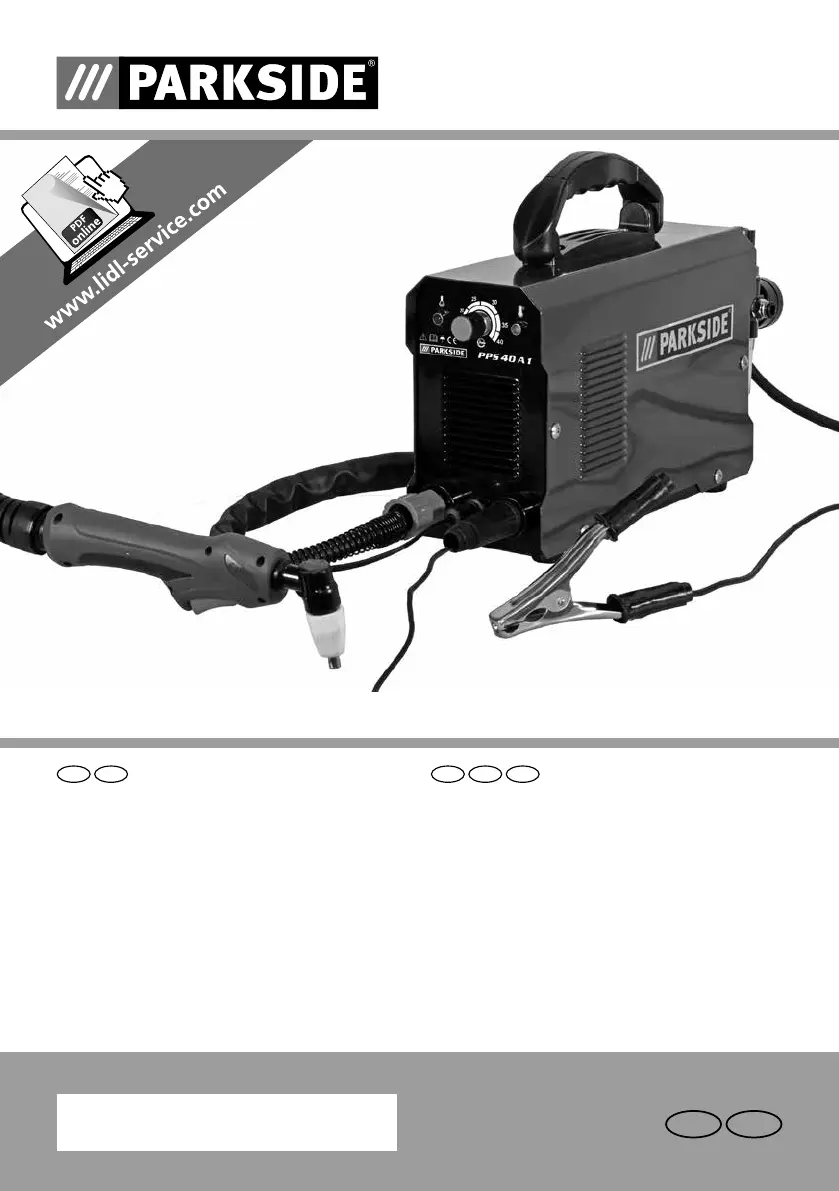
PLASMA CUTTER PPS 40 A1
PLASMA CUTTER PLASMASCHNEIDER
Operation and Safety Notes
Translation of the original instructions
Bedienungs- und Sicherheitshinweise
Originalbetriebsanleitung
IE NI
NIIE
IAN 307722
DE AT CH

Other manuals for Parkside PPS 40 A1

Questions and Answers

  • D
    daniel59Sep 18, 2025
    How to fix indicator lamp if it does not light up on my Parkside PPS 40 A1?
    • A
      Amber NelsonSep 22, 2025
      If the indicator lamp on your Parkside Welding System doesn't light up, first check the power cable to ensure there's an electrical connection. Also, make sure the ON/OFF switch is set to ON.
  • D
    Daniel JacksonAug 25, 2025
    What to do if my Parkside Welding System pistol is not ready for operation?
    • M
      Michael HudsonAug 25, 2025
      If the pistol isn't ready, ensure the current switch is turned ‘on’. Also, verify the air supply isn't restricted and confirm the workpiece is properly connected to the ground terminal. Check the connection and air supply to resolve the issue.
  • E
    emily22Aug 25, 2025
    Why is the indicator lamp not lighting up on my Parkside PPS 40 A1?
    • L
      Lauren SanchezAug 26, 2025
      The indicator lamp might not light up due to no electrical connection. Check the power cable. Alternatively, the ON/OFF switch may be set to off; in this case, set the switch to ON.
  • A
    angelbrooksAug 27, 2025
    Why does the warning lamp switch on for my Parkside PPS 40 A1?
    • V
      Vicki SmithAug 27, 2025
      The warning lamp may activate because the overheating protection has been triggered, so allow the device to cool down. It can also mean the input voltage is too high; ensure the input voltage matches the specifications on the type plate.
  • L
    lisa61Sep 23, 2025
    Why is the ventilator not working on my Parkside PPS 40 A1 Welding System?
    • T
      tallenSep 23, 2025
      If the ventilator on your Parkside Welding System isn't working, it could be due to an interrupted power line. Check the power line to ensure it's properly connected.
  • S
    Shannon MendozaSep 23, 2025
    What causes the air current to be unregulable in Parkside PPS 40 A1 Welding System?
    • O
      oreedSep 23, 2025
      If the air current cannot be regulated on your Parkside Welding System, it may be because the compressed air hose is damaged or faulty. Try a new connection of the hose.
  • A
    Alison GoodwinSep 10, 2025
    Why is there slag formation on interfaces when using my Parkside PPS 40 A1?
    • H
      Heather Flores DVMSep 12, 2025
      If you're experiencing slag formation on interfaces with your Parkside Welding System, it could be because the tool or material is generating too much heat. Allow the material to cool down before continuing. The cutting speed might be too low, or the current too high; adjust these until the slag is minimized. Also, check for worn parts on the pistol and replace them.
  • S
    Sara RomeroSep 12, 2025
    Why is there insufficient penetration with my Parkside PPS 40 A1?
    • B
      Brian QuinnSep 12, 2025
      If you are experiencing insufficient penetration with your Parkside Welding System, try slowing down the working speed. Adjust the inclination of the pistol to ensure it is straight. If the metal is too thick, multiple cycles may be necessary. Additionally, check and replace any worn parts of the pistol.
  • T
    Timothy MartinezSep 4, 2025
    What to do if the ventilator does not work on my Parkside PPS 40 A1?
    • C
      Caitlin ScottSep 4, 2025
      If the ventilator isn't working, check the power line as it may be interrupted.
  • A
    Amanda JonesSep 1, 2025
    How to prevent slag formation on interfaces when using my Parkside PPS 40 A1 Welding System?
    • R
      Riley BautistaSep 1, 2025
      Slag formation can occur if the tool/material creates heat. Allow the material to cool down and then continue cutting. If the cutting speed is too low or the current is too high, increase the speed and/or reduce the current until the slag has been reduced to a minimum. Also, check and replace worn parts.

Summary

Safety Instructions

Immediate Safety Warnings

Includes urgent warnings for children, users, and electrical safety.

Operational Safety Precautions

Addresses power connection, switching off, cooling, and fire risks from sparks.

Fire, Explosion, and Electric Shock Prevention

Avoid flammable materials, sparks, ensure fire safety, and prevent electric shock.

Arc Beam and Skin Protection

Protect eyes and skin from arc beams with appropriate gear.

Protective Clothing and Workplace Safety

Specifies required clothing, gloves, goggles, and workplace shielding.

Before Use

Connecting Compressed Air

Instructions for connecting the air hose, pressure setting, and filtering.

Using the Device

Operation Guide

Step-by-step guide for setting up and starting the plasma cutter.

Troubleshooting

Fault Identification and Causes

Lists common faults, their causes, and initial troubleshooting steps.

Advanced Troubleshooting Steps

Addresses sparks, cut issues, slag, arc stops, and penetration problems.

Maintenance and Care

Warranty and Service Information

Parkside PPS 40 A1 Specifications

General IconGeneral
Electrode diameter1.6 - 2.5 mm
Protection classIP21S
Insulation classH
Electrode diameter range1.6 - 2.5 mm
Input voltage230 V
Welding current40 A
Input frequency50 Hz
Welding current range40 A
Duty cycle at 160 ANot applicable (max current 40A)

Related product manuals