12
Installation
stream from air vents.
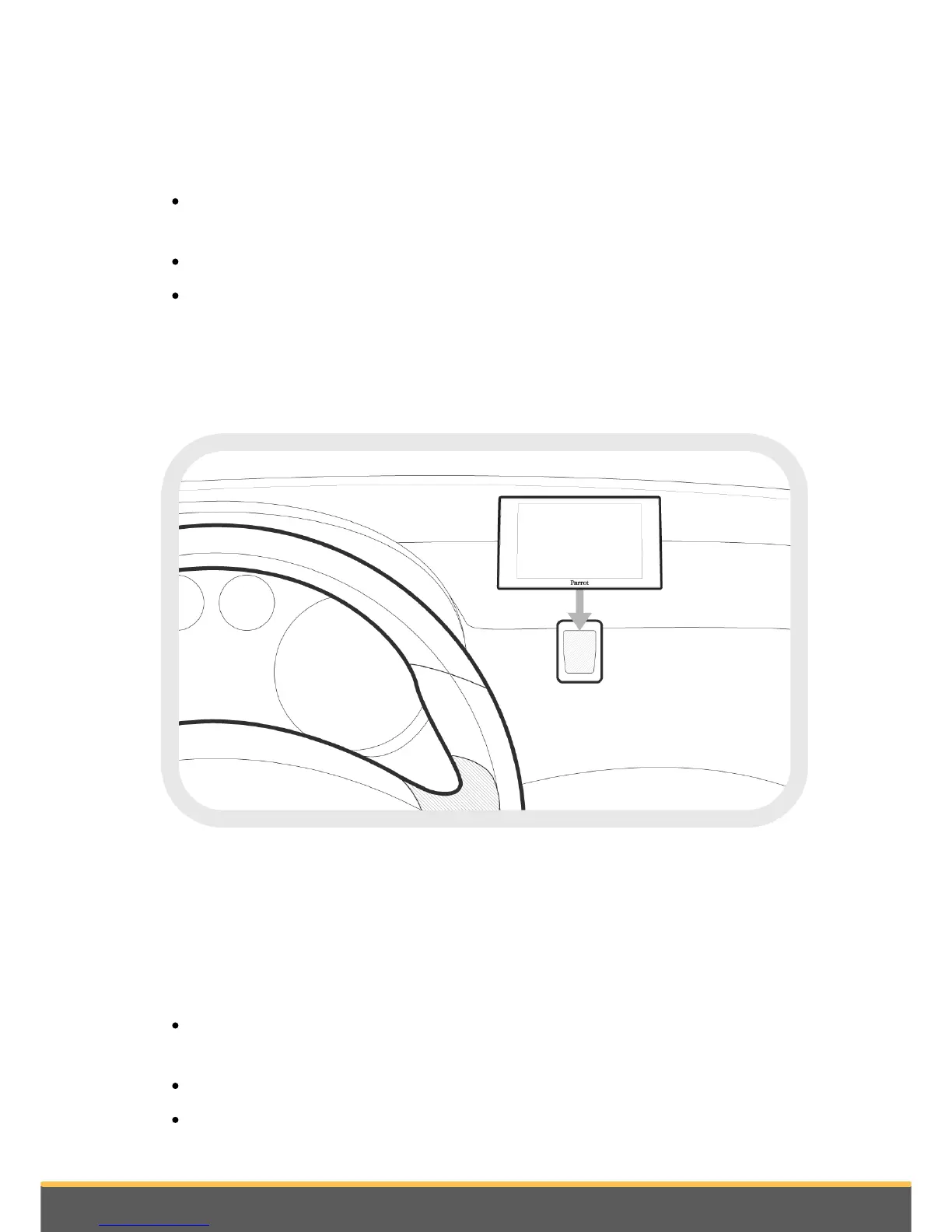
Stick the support on the dashboard.
To make sure the adhesive tape adheres well :
select the support location carefully : once stuck, it will be difficult to change it
without affecting the fixation quality ;
clean the area with an appropriate cleaning product before sticking the support ;
once you have stuck the support on the dashboard, wait for approximately 2 hours
without handling it.
Remember to remove your screen when leaving the vehicle to avoid tempting any
would-be thieves and to prevent prolonged exposure to sunlight.
Installing the remote control
Stick the remote control support on your dashboard. To do so, use the adhesive tape
located under the support.
To make sure the adhesive tape adheres well :
select the support location carefully : once stuck, it will be difficult to change it
without affecting the fixation quality ;
clean the area with an appropriate cleaning product before sticking the support ;
once you have stuck the support on the dashboard, wait for approximately 2 hours


 To Next Page