28
Settings
Before flying the Bebop 2, ensure that you comply with the Wi-Fi fre
q
uencies restrictions
of your place of flight. Certain fre
q
uencies may be restricted or forbidden. Selecting the
country and activating the outdoor option enable FreeFlight 3 to adapt the available
channels according to the legislation of the selected country. For example, in certain
countries using the 5 G
Hz
Wi-Fi band may be prohibited in outdoor mode.
In automatic mode, FreeFlight 3 automatically selects a channel according to the country,
the mode (outdoor/indoor), and the Wi-Fi band selected and the congestion of the
channels.
If you encounter a problem with the
q
uality level of the Wi-Fi connection:
1. Select Manual mode.
2. Select a non-overloaded channel using the information displayed on the diagram. Give
preference to channel without curves or with green curves.
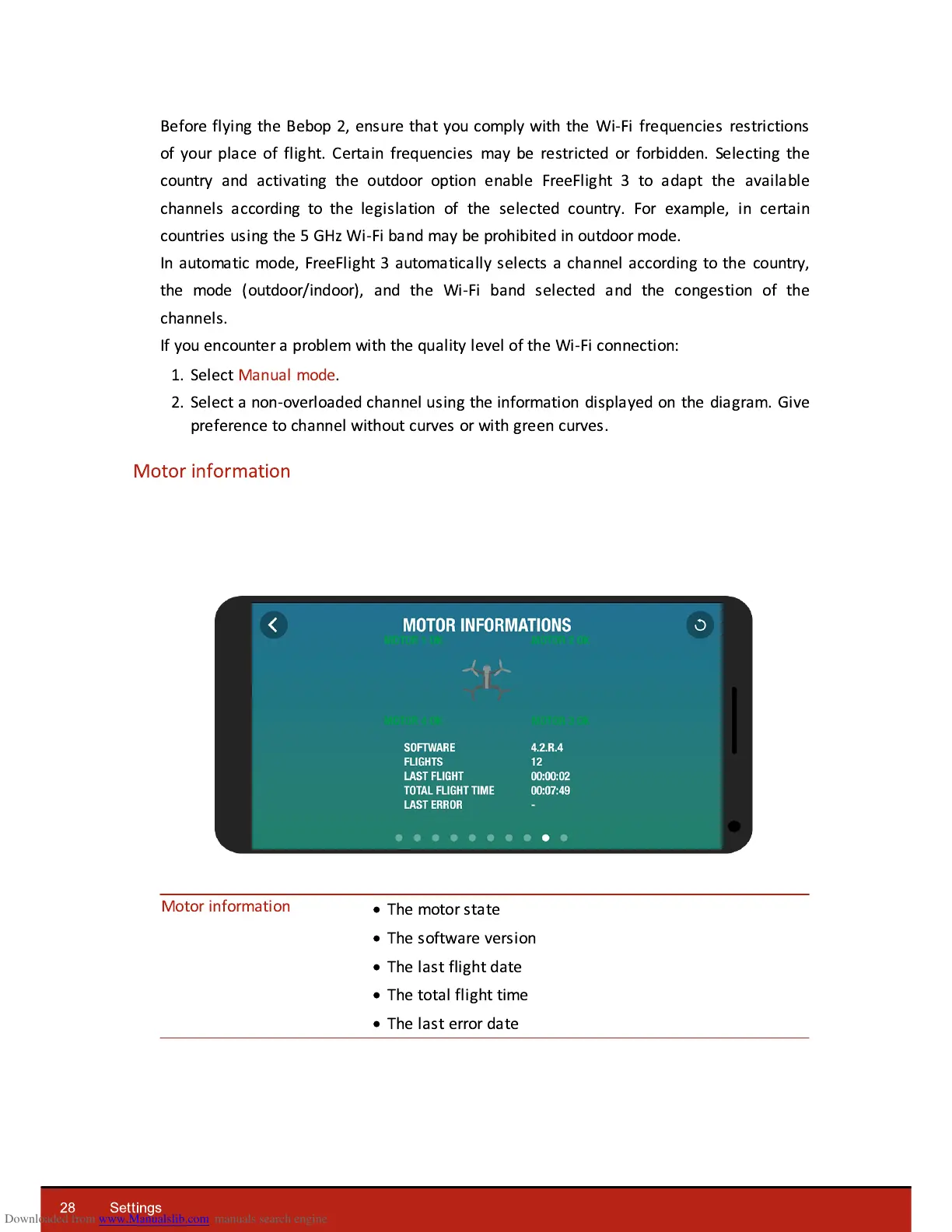
Motor information











 To Next Page