5
Before you begin
Installing the battery
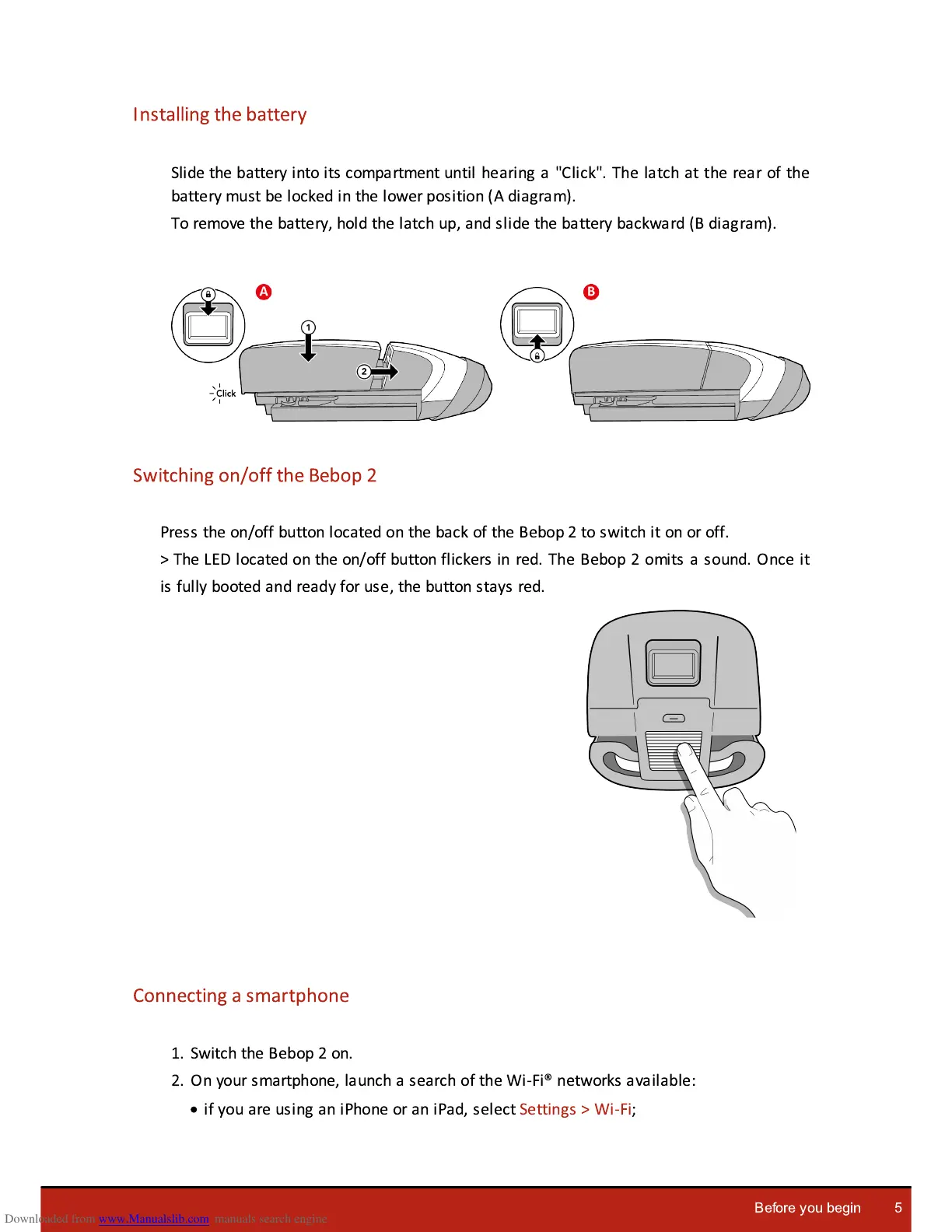
Slide the battery into its compartment until hearing a "Click". The latch at the rear of the
battery must be locked in the lower position (A diagram).
To remove the battery, hold the latch up, and slide the battery backward (B diagram).
Switching on/off the Bebop 2
Press the on/off button located on the back of the Bebop 2 to switch it on or off.
> The LED located on the on/off button flickers in red. The Bebop 2 omits a sound. Once it
is fully booted and ready for use, the button stays red.
Connecting a smartphone
1. Switch the Bebop 2 on.
2. On your smartphone, launch a search of the Wi-Fi® networks available:
·
if you are using an iPhone or an iPad, select Settings > Wi-Fi;















 To Next Page