40
Borrar Memoria
Por medio del menú : Al hacer clic en "Yes" aparece "¿borrar memoria?";
Acepte pulsando "Yes" y escuchará "Borrando la memoria. Espere, por favor!". Para
anular, pulse "No".
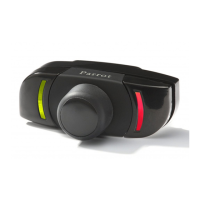
Se puede borrar la memoria sin utilizar el menú Parrot. Para ésto, pulsar
prolongadamente el rojo y el verde al mismo tiempo.
Cuidado
: Si borra la memoria, tendrá que volver a hacer la fase de enlace.
Manual del usuario


 To Next Page