EasyManua.ls Logo

Parrot MINIKIT - Call Management Functions

Parrot MINIKIT
29 pages
Print Icon
To Next Page IconTo Next Page
To Previous Page IconTo Previous Page
Loading...
English
1
0
Parrot MINIKIT
Ending a call
To en
d
a ca
ll
, press t
h
e re
d
b
utton on t
h
e Parrot
MINIKIT.
Redial function
Hold down the green button on the kit
f
or two
secon
d
s to re
d
ia
l
t
h
e
l
ast num
b
er
.
A
d
justin
g
t
he
vo
l
um
e
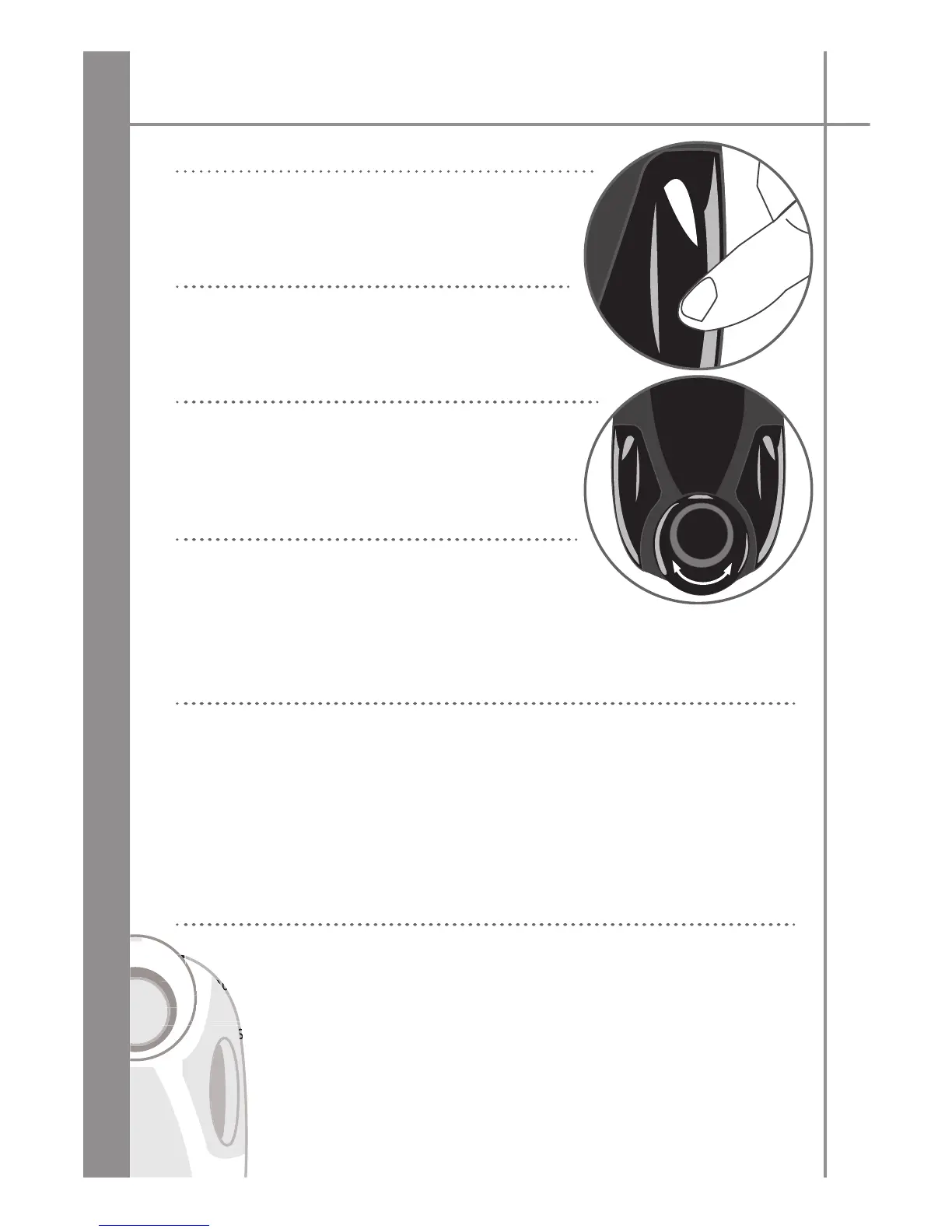
During a ca
ll
, turn t
h
e scro
ll
w
h
ee
l
on t
h
e Parrot
MINIKIT or a
d
just t
h
e vo
l
ume
d
irect
l
y on your p
h
one.
The volume setting is saved
f
or subsequent calls
.
Changing to discreet mode
During a call, i
f
you want to continue the conversation
on your phone
(
private conversation
)
, press the green
button on the Parrot MINIKIT. The call is trans
f
erred to the phone
.
I
f
you want to switch back to the kit, press the green button again
.
Sen
d
in
g
DTMFs
During a call, you can send DTMFs (Dual-Tone Multi-Frequency)
f
or touch-tone dia
l
ling. This
f
eature can be used
f
or managing your voice mail,
f
or example
.
Press t
h
e rotary
b
utton - t
h
e
k
it says «0»
.
Turn t
h
e w
h
ee
l
to scro
ll
t
h
roug
h
t
h
e num
b
ers
.
Press t
h
e scro
ll
w
h
ee
l
to sen
d
t
h
e num
b
er to t
h
e p
h
one
.
Repeat t
h
is sequence to sen
d
ot
h
er DTMFs
.
C
l
earin
g
t
he
memory
You can pair up to five devices.
Yo
If you attempt to pair a sixth phone, the kit says «memory full».
you
ou
If
You must clear the memory by holding down both the red and green buttons for three
ou mu
mu
Y
seconds. Doing so also clears all the contacts and the associated voiceprints.

econds
s
s
ond

Other manuals for Parrot MINIKIT

Related product manuals