49
1. Check each of the propeller blades for wear, erosion from cavitation or ventilation, or other
damage.
2. Check the propeller shaft for damage.
3. Check the splines/shear pin for wear or damage.
4. Check for fish line tangled around the propeller shaft.
5. Check for the propeller shaft oil seal for damage.
3.8.1 Removing the propeller
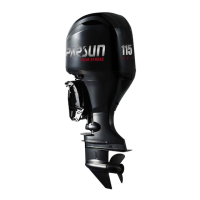
1. Straighten the cotter pin and pull it out using a pair of pliers.
2. Remove the propeller nut, washer, and spacer (if equipped).


 To Next Page