TITLE : RP-300/310
Page -64 -
① ESC@ is executed.
② ESC & is executed.
③ FS q is executed.
④ Printer is reset or the power is turned off.
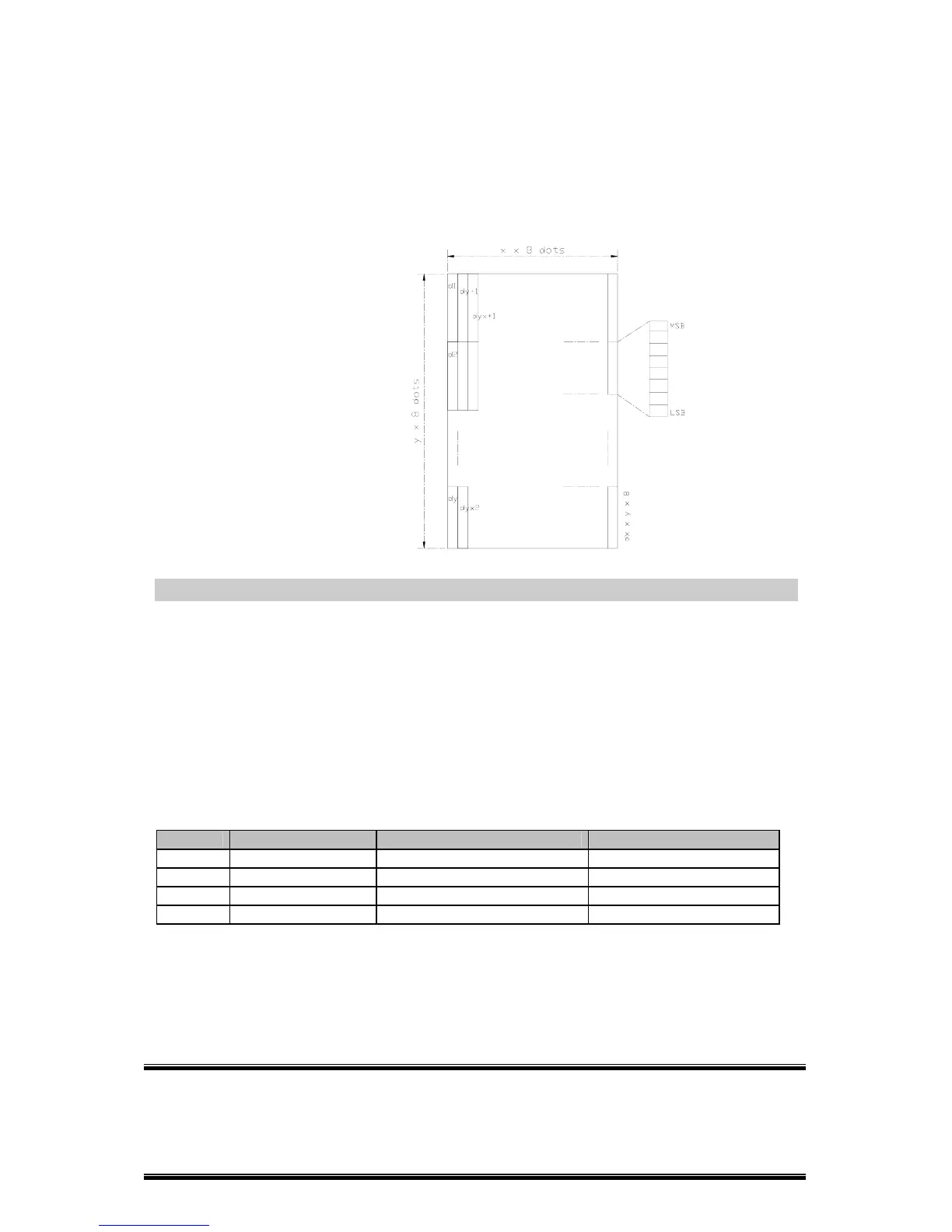
·The following figure shows the relationship between the downloaded bit
image and the printed data.
[Reference] GS \
GS /
m
[Name] Print down-loaded bit image
[Format] ASCII GS /
m
Hex 1D 2F
m
Decimal 29 47
m
[Range] 0 ≤
m
≤ 3,48 ≤
m
≤ 51
[Description] Prints a downloaded bit image using the mode specified by
m
.
m selects a mode from the table below:
m
Mode Vertical Dot Density Horizontal Dot Density
0, 48 Normal 180 DPI 180 DPI
1, 49 Double-width 180 DPI 90 DPI
2, 50 Double-height 90 DPI 180 DPI
3, 51 Quadruple 90DPI 90 DPI
[dpi : dots per 25.4 mm {1” }]
[Details] ·This command is ignored if a downloaded bit image has not been
defined.
·In standard mode, this command is effective only when the on data exists
in the print buffer.



 To Next Page