10 C H A P T E R 1 G E T T I N G S T A R T E D
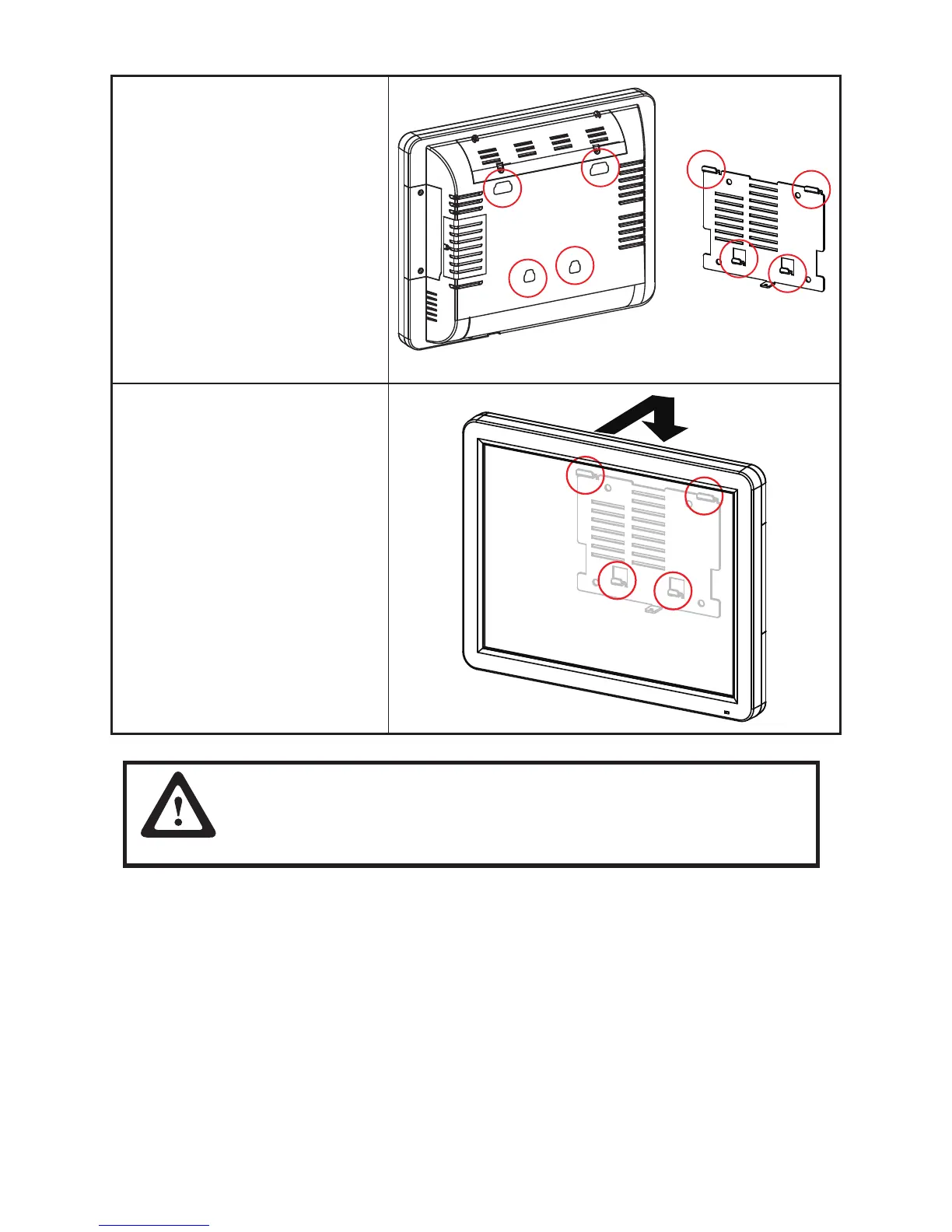
5. Align the mounting holes in the
back of the SP-1000-C with the
hooks on the wall mount bracket.
6. Insert the hooks on the wall mount
bracket into the mounting holes
in the back of the SP-1000-C and
slide the SP-1000-C down onto
the bracket.
7. Reconnect the cables.
CAUTION
The wall mount should be kept at least 1mm away from the wall.



 To Next Page