◆Power of Cycling
◆Speed (current speed, average speed and Max speed)
◆Distance (single trip distance and ODO)
◆PAS level
◆Turn on/off headlight
◆6km/h walk assist
◆USB Charging
◆Bluetooth, GPS location
◆Error code
◆Multi set up parameters: Wheel Size, Speed limited, unit
settings (metric/imperial), Backlight Setting, Single trip
distance Clearance
◆Photosensitive backlight (Automatically adjust the
screen backlight according to the ambient light intensity).
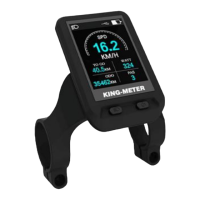
4. Main Display Figures
There are three kinds of display interfaces, including
normal display interface, detailed information interface
and navigation interface, they can be switched by Press
and hold the “MODE” button for a long time.


 To Next Page