12
Start – Press +/- to set the starting hour of economy mode. Press >
to select minutes. Press +/- to set the starting minute of economy
mode. Press
to go to the next screen.
Stop – Press +/- to set how long economy mode runs in hours. Press
> to select minutes and +/- to set how long economy mode runs in
minutes. Press the checkmark function button to save the settings.
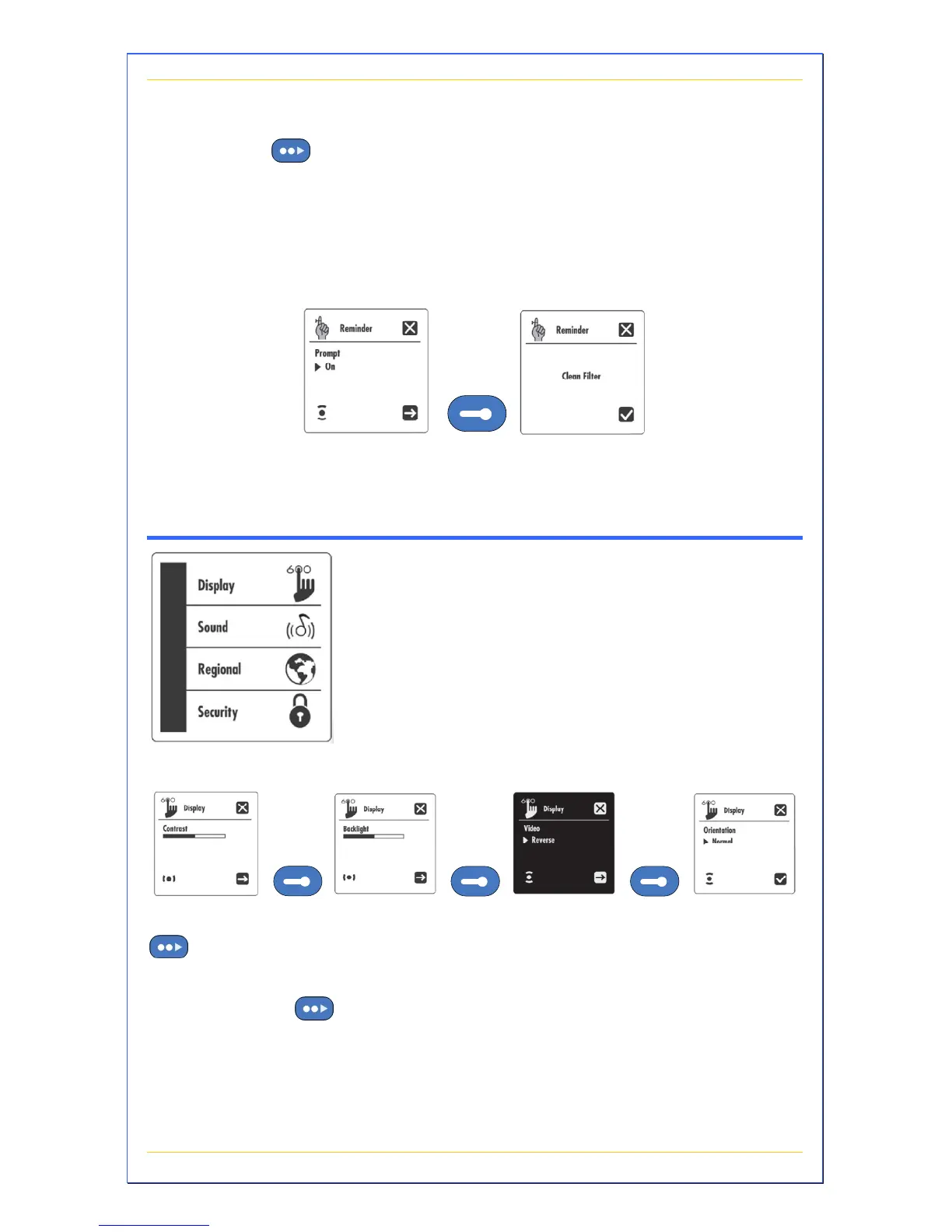
Reminder Setting
The Reminder setting allows your spa to automatically alert you for
normal maintenance issues. Press +/- to turn on/off the reminders.
Keypad Submenus
This submenu allows you to personalize
operating settings of your spa’s display.
Display Settings
Contrast – Press +/- to set amount of contrast on the display. Press
to go to the next screen.
Backlight – Press +/- to set the intensity of the backlight (for night
viewing). Press
to go to the next screen.


 To Next Page