13
Video – Press +/- to set a normal or inverse video display. Press
to go to the next screen.
Orientation – Press +/- to set a normal or inverted display. Press the
checkmark function button to save the settings.
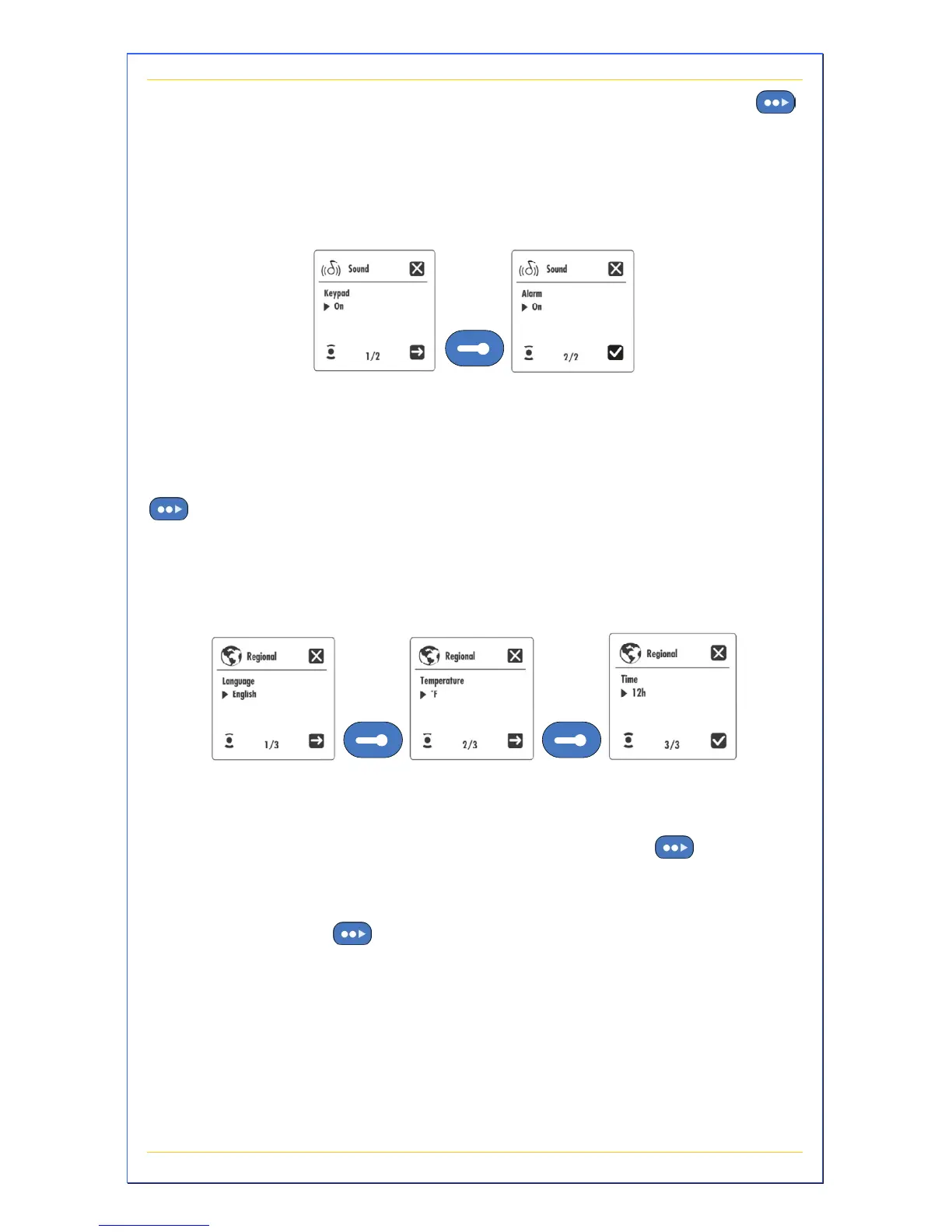
Sound Settings
These settings control how the audible beep functions. You can
assign a beep to each keypad press and an audible alarm for
warnings.
Keypad – Press +/- to turn the keypad audible beep on/off. Press
to go to the next screen.
Alarm – Press +/- to turn the audible alarm on/off. Press the
checkmark function button to save the settings.
Regional Settings
These setting control the language, temperature units, and time
format.
Language – Press +/- to select your language. Press
to go to
the next screen.
Temperature – Press +/- to select a temperature reading in
degrees F/C. Press
to go to the next screen.
Time – Press +/- to select a 12/24 hour clock display. Press the
checkmark function button to save the settings.


 To Next Page