Pre-Operation Inspection and Calibration Verification
© PAT Revision E // SB // 09/03/02 190137_E
27
5.3 Display Contrast Control
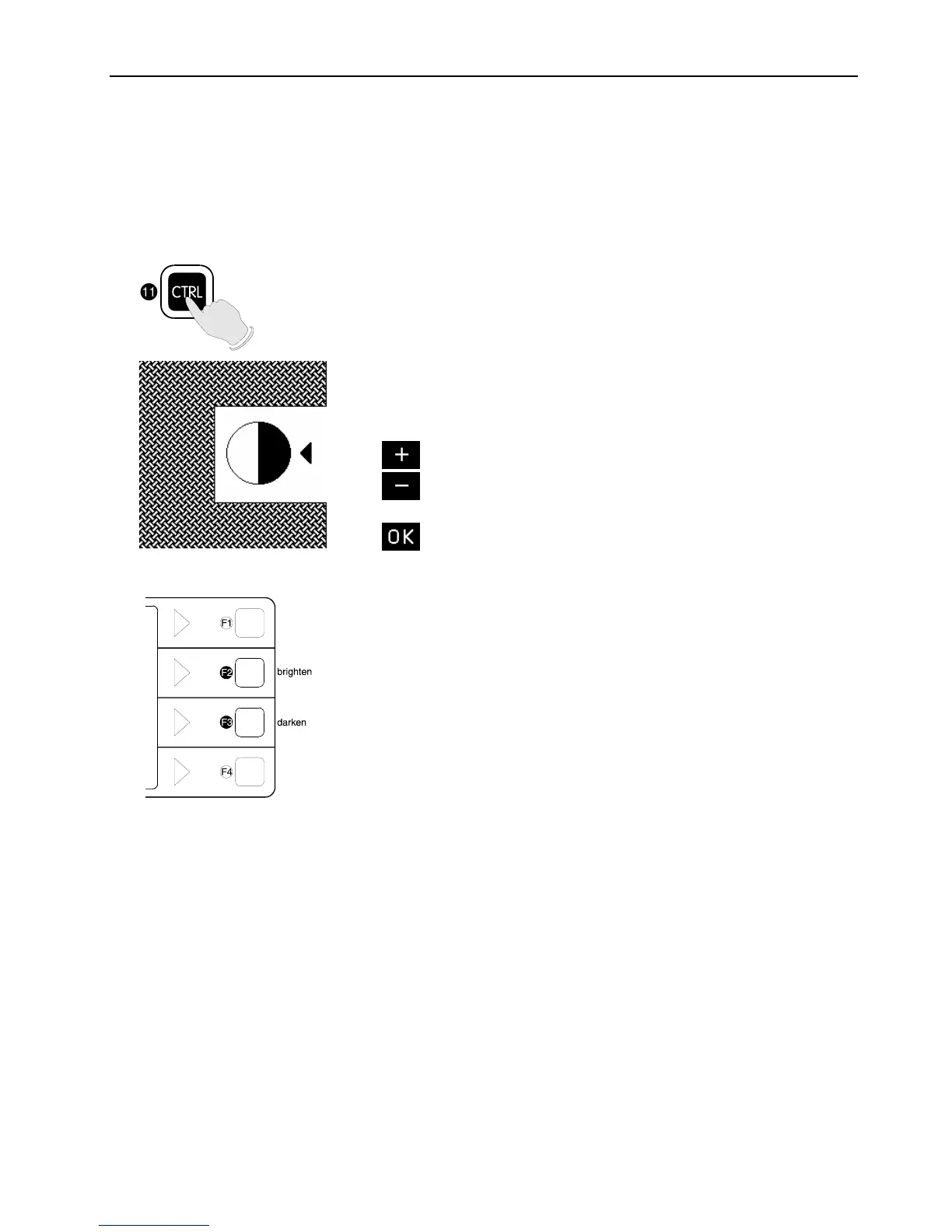
This function serves for the contrast adjustment of the LC display. The last adjustment is
stored and does not have to be repeated at every system start.
Contrast adjustment
Press "CTRL".
A pattern is shown by means of which the
display can be adjusted to the optimum
contrast. Use the functional keys to modify
the contrast upon request:
darken display
brighten display
confirm setting
Press key "OK" to store the adjusted
contrast value and to quit the function.
During normal LMI operation the display
contrast can be adjusted too by pressing
button:
F2 (brighten display) or
F3 (darken display).


 To Next Page