PLAYING MUSIC, VIEWING MOVIES OR PICTURES
1) Select the song / movie / or picture by tapping the le name in “Wi-Fi Drive” or
“Local Files” tabs. The le will automatically start to play.
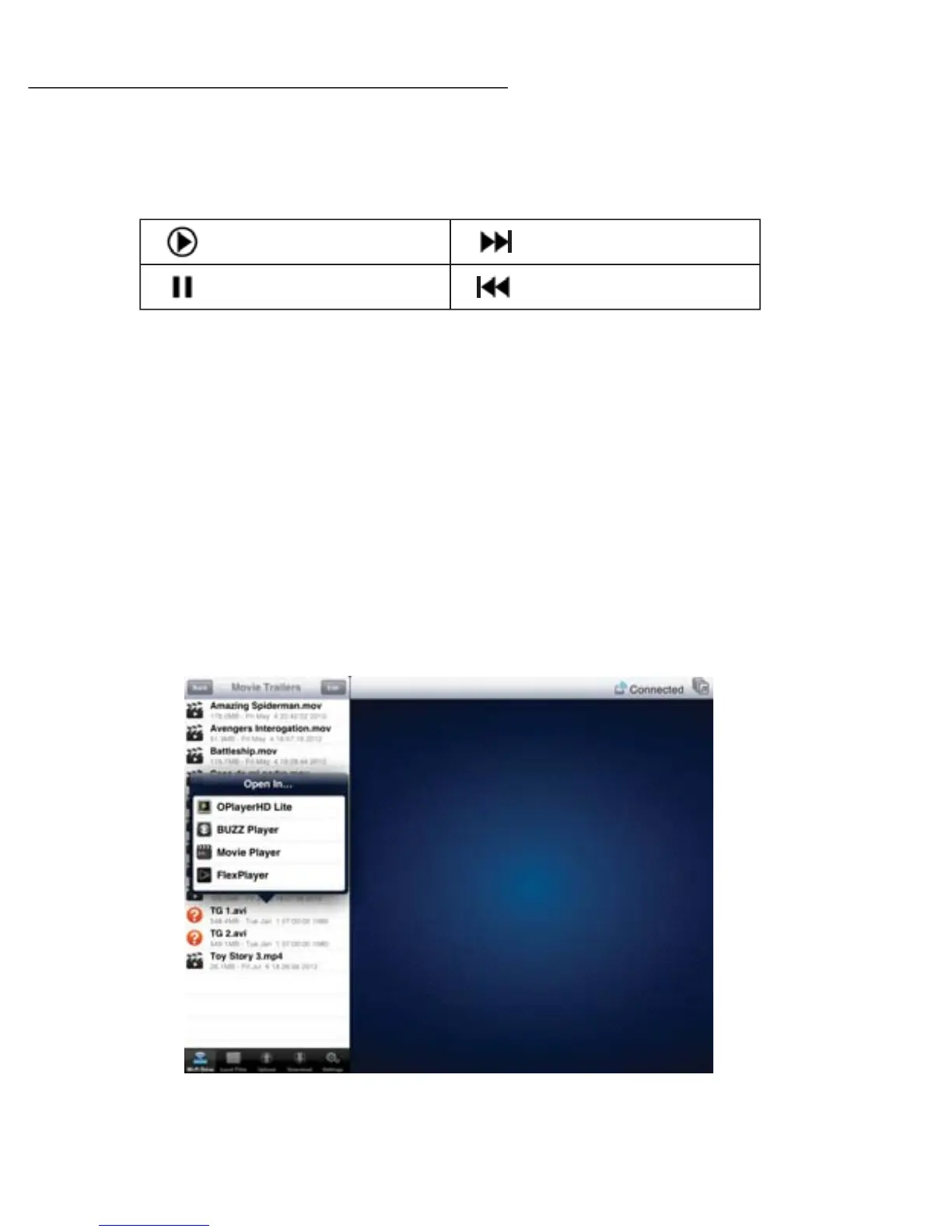
2) Press these buttons to control le playback.
3) “Open in…” Function: this menu will only appear when opening a le format not
supported by your phone or tablet device such as an unsupported music, movie,
picture or document le. The ‘Open In’ menu will enable you to select a 3rd party
App other than “Gauntlet Connect” to open the unsupported les. Some
apps/programs may download the entire video le before it can be played. This
can take time depending on video length.
Notes:
• 3rd party apps are not included with this product
• Maximum le size supported for streaming using the “Open in” feature is 350MB by iOS5 or
below.
PLAY
PAUSE
PLAY NEXT
PLAY PREVIOUS
Android
12


 To Next Page