TROUBLESHOOTING YOUR DEVICE
Frequently Asked Questions (FAQs):
Q: Can the device be connected via USB and Wi-Fi at the same time?
A: No, this device can be accessed via USB or Wireless but not both at the same time. This is a
failsafe feature built in to the device to prevent from overheating or power uctuations.
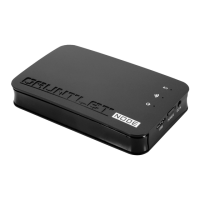
Q: How can I connect Gauntlet Drive to my home or work Wireless internet to have access to the
le on my drive and internet at the same time?
A1: When using a phone or tablet go to Settings > Wi-Fi > choose your home or work wireless
internet SSID and enter the password (if necessary).
A2: When using a Mac or PC, make sure you are wirelessly connected to Gauntlet Drive > open
your internet browser > in the address bar type in 10.10.10.254 (which is Gauntlet Drive’s default
IP address) > click on “Setup” tab > click on “Network connection > choose the desired SSID and
enter password(if necessary).
Q: How to set a password on the Gauntlet Drive?
A: To set a password go to Settings > Security > choose security level and type in desired
password.
Q: How to change the SSID name on Gauntlet Drive:
A: To change the SSID name go to Settings > Network > and change the SSID by typing in the
desired SSID.
Q: Where can I nd the Gauntlet Connect App?
A: Gauntlet Connect App is available to download on App Store (for iPhone, iPad, and iPod
touch), Play Store (for Android Phones and tablets), and Kindle Store (for Amazon Kindle Fire).
TECHNICAL SUPPORT
1) For product support, more FAQs, and information please visit us at
http://www.patriotmemory.com/support/indexp.jsp
2) or by email at: support@patriotmem.com.
PRODUCT WARRANTY
The Gauntlet Drive includes a 2 year limited warranty.
For warranty information and support refer to
http://www.patriotmemory.com/support/indexp.jsp
32


 To Previous Page