CONNECT TO YOUR COMPUTER OR MOBILE DEVICE
Ensure that the Gauntlet unit battery has been charged or the AC adapter is plugged in.
To Connect to Computer (PC, Mac, notebook):
1) Power “ON” the Gauntlet unit.
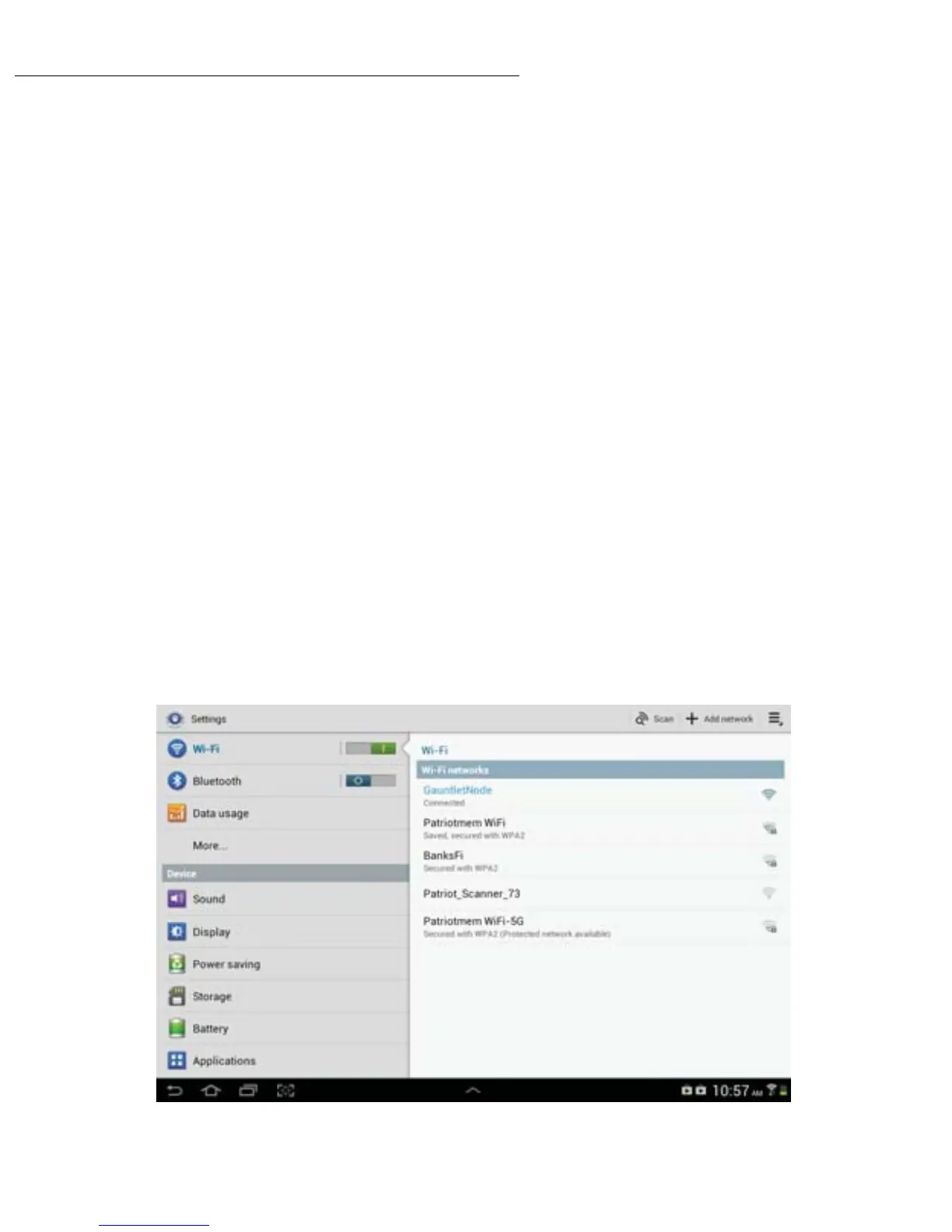
2) Wi-Fi Connection: Connect with the computer Wi-Fi to the SSID: Gauntlet Node
or
2) USB Connection: Connect the included USB cable to the computer’s USB port. A
USB 3.0 port will provide the fastest le transfer speed.
To Connect to Smartphone, Tablet, or Kindle Fire:
1) Power “ON” the device and the Gauntlet unit.
2) Download and install the “Gauntlet Connect” app from iTunes®, Google Play or
Kindle store respectively.
3) Turn ‘ON’ the phone or tablet Wi-Fi.
4) Connect through Wi-Fi to the SSID: Gauntlet Node
5) Launch the ‘Gauntlet Connect’ app to access, play, and transfer les.
Android
5


 To Next Page