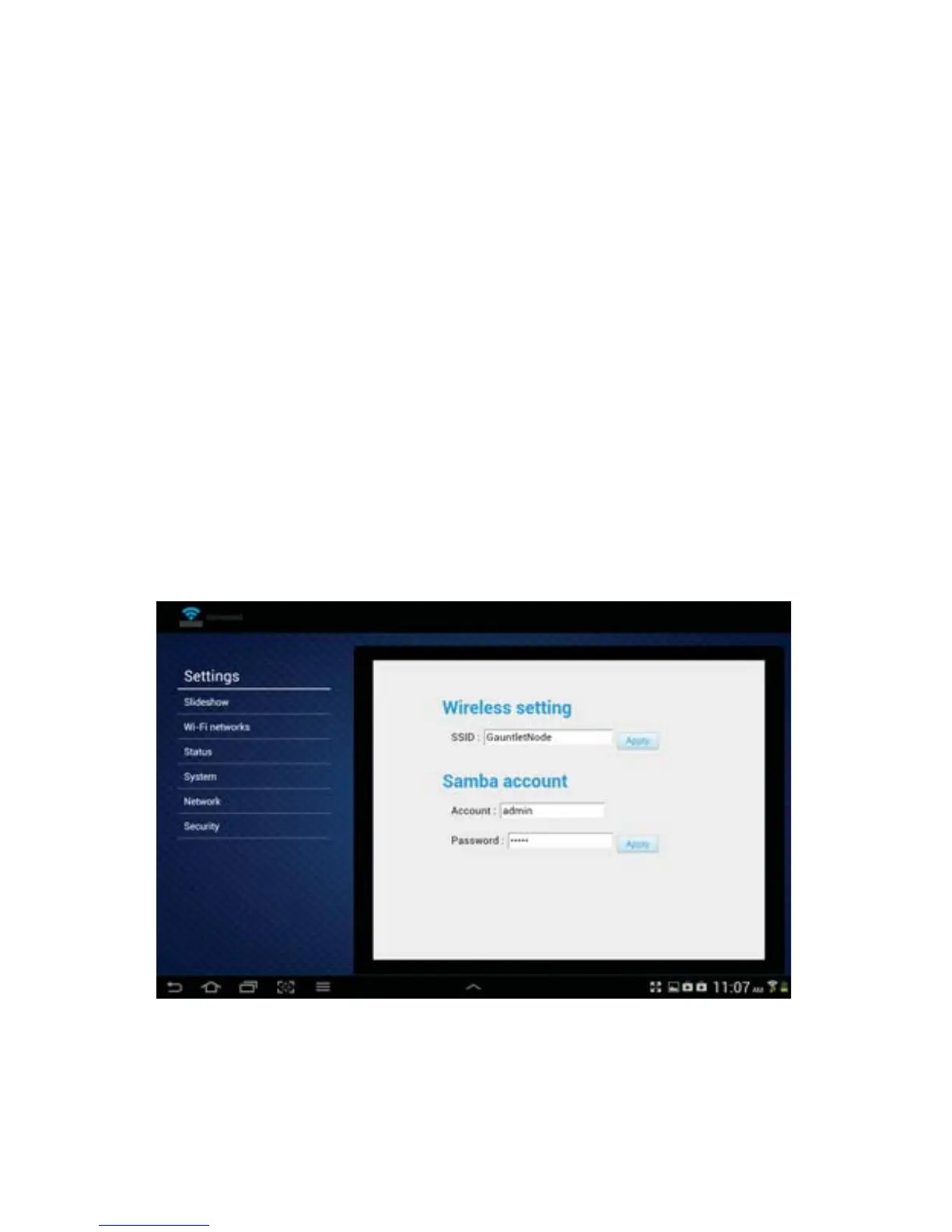
Network:
Tap on this box to view or change the wireless SSID or the Samba (SMB) account settings.
Wireless SSID: The SSID is the name you choose to identify the Gauntlet drive unit to select
when connecting to smartphone, tablet, wireless computers, and other supported wireless
devices. The default SSID is “GauntletNode”.
When connecting wirelessly to another device (phone, tablet, or computer), that device Wi-Fi
must be connected to this SSID.
Samba account: Samba, or SMB, allows le sharing between computers running Windows OS
and the Gauntlet unit when connecting wirelessly. The setting for the username and password
can be changed here in the app, or from your Windows computer by opening a browser
window as explained below.
The default setting for the Gauntlet unit Account is: Username is set to “admin”, and the
Password is set to “admin”.
Note: You can always connect directly to any computer with the included USB cable and easily
transfer and access your les.
Android
26


 To Next Page