5
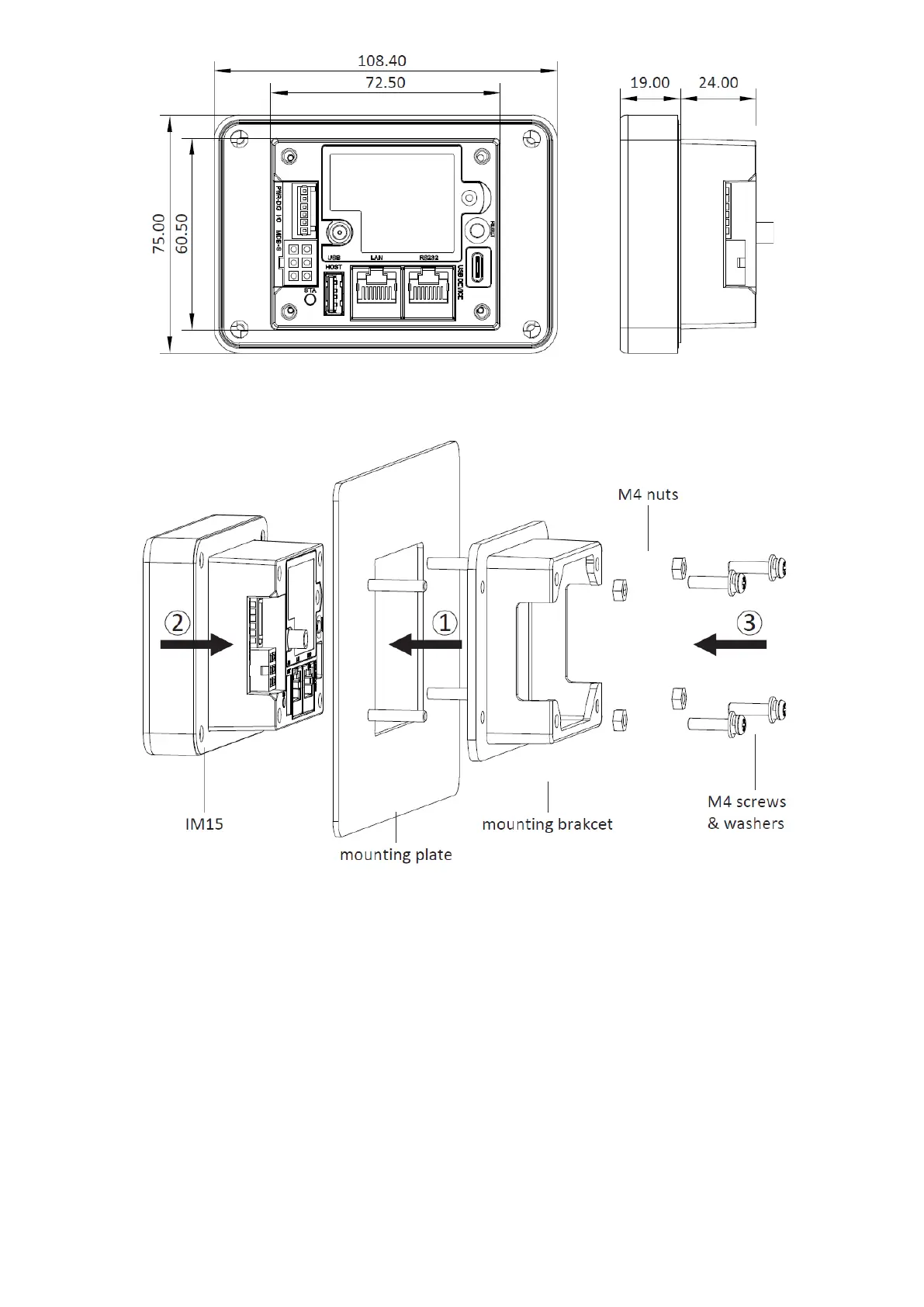
Figure 6: device dimensions (mm)
4. Device Installation
Figure 7: device installation
1) The back face of the installation should have four stud bolts corresponding to the
mounting points located on mounting bracket. Slide the mounting bracket into
place with the orientation shown in figure 7 and then fix it in place with four M4 nuts.
2) Slide the IM15 unit into place with the orientation shown in figure 7. The back
portion of the device should rest securely inside the mounting bracket.
3) Apply a torque of 0.6 to 0.8 Nm to each of the four M4 screws to secure the IM15
unit to its mounting bracket.



 To Next Page