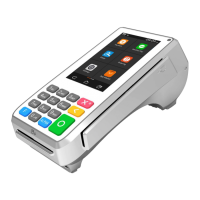
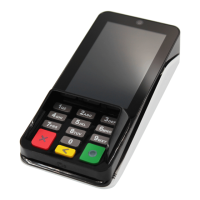
6
4. INSTRUCTIONS
1. Power on/off
Power on: Plug the IM15 into an appropriate power source (12 to 48 VDC) via the MDB
port, the digital IO port, or the RS232 RJ45 port.
Power off: Disconnect the IM15 from the power source it is connected to.
2. Contactless Transactions
When the device is ready to accept a contactless transaction, the contactless icon should
appear on screen. Orient the card or NFC device parallel to the screen and then hold it
at a distance of 4 cm or less directly above the contactless icon.
3. Code Scanner Transactions
When the device indicates on screen that it is ready to scan a 1D or 2D code, orient the
code parallel to the code scanning camera and then place it directly in front of the camera.
4. Environmental Conditions
Storage Temperature: -30°C ~ 70°C (-22°F ~ 158°F)
Operating Temperature: -20°C ~ 70°C (-3°F ~ 158°F)
Relative Humidity: 5% ~ 95% (non-condensing)
5. MAINTENANCE AND USAGE
1. If any cables become damaged, seek a replacement.
2. Do not insert unknown materials into any port on the IM15, this may cause serious
damage to the device.
3. Only qualified personnel should repair this product.
4. Frequency from 5150 to 5250MHz is for indoor use,during normal use IM15 surface
should still be keep clear of dirt and possible liquid contaminants.
5. While the IM15 is designed to resist ingress of dust and liquids, it is not designed to resist
pressurized liquids such as water hoses. Keep the back of the device away from dust and
liquids as much as possible.
6. Make sure the various cables connect to provide the appropriate voltages at the proper
pins.
7. If the IM15 requires repair, contact a professional technician instead of attempting them
yourself
6. COMPLIANCE STATEMENTS
FCC COMPLIANCE STATEMENT
This device complies with Part 15 of the FCC Rules. Operation is subject to the following
two conditions:
1) this device may not cause harmful interference
2) this device must accept any interference received, including interference that may
cause undesired operation.
Changes or modifications not expressly approved by the party responsible for compliance
could void the user’s authority to operate the equipment.
3) Frequency from 5150 to 5250MHz is for indoor use.



 To Next Page
 Loading...