PayRange|BluKeyPro|UserManual
Page2|23
Introduction
TheturnkeyPayRangepaymentsystemincludesaBluKeyhardwaredeviceforthemachinealongwitha
mobileappandtransactionprocessingserviceforthecustomer.Consumersmaintainaprepaidbalance
ontheirsmartphonesanduseittomakepaymentsatavarietyofmachinesthatcanincludevending,
amusement,parking,transitticketing,andlaundryequipment.
BluKeyPro(BKPro)deviceprovidesmobilepaymentfunctionalityandworkswithvirtuallyany
commercialLaundrymachineandotherkindsofmachinesthatacceptpayments.
Card‐enabledmodelssupportmachineswithinstalledcardreader(serialandpulse).
RTC(real‐timeclock)‐enabledmodelssupporttimekeepingincaseofpoweroutage.
InstallingBluKeyProtakesjust2‐3minutesandrequiresonlyplugginginanappropriatecableharness
intothemachine.
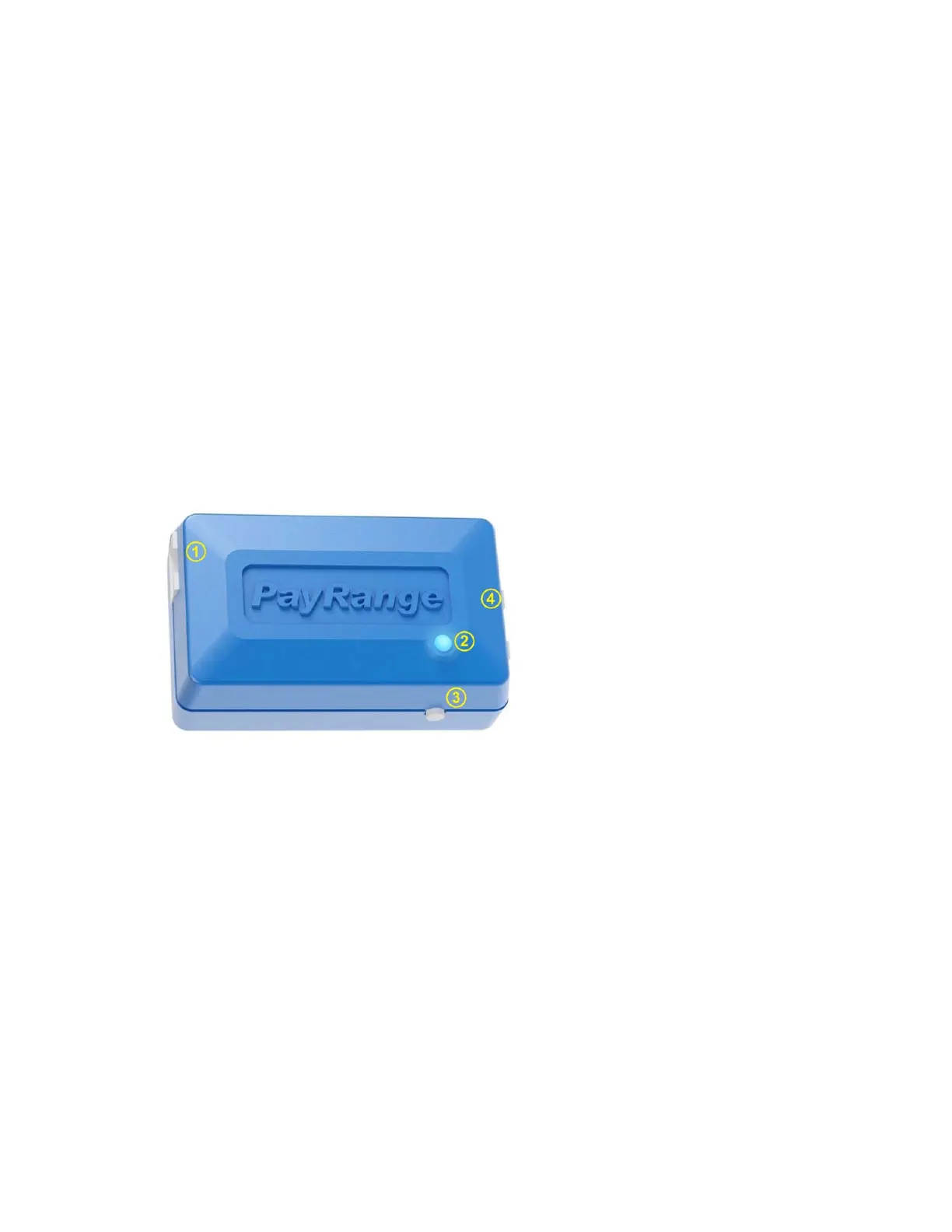
Interfaces
1. CARDconnector
(presentonlyon
card‐enabledmodels)
2. PowerLED
3. Button
4. MACHINEConnector
Installation
BluKeyProrequireselectricalconnectionstointernalmachinesignalswithappropriatecableharness.
BluKeyProshouldbeplacedinsidemachineenclosure,withthefollowingconsiderations:
OptimalplacementforRFperformance(placedeviceclosetoopeningsinmetalenclosure,
ensurethatitsinternalantennaisnotobstructedbymetalandconductiveparts,shieldsand
cables).
Cableharnessshouldreachmachineconnectors.
Donotplaceonvibratingparts(motors,compressors,etc.).
Donotplacewherecanbeexposedtowaterorcondensate,orhighheatorextremelycold
temperatures.


 To Next Page