PayRange|BluKeyPro|UserManual
Page7|23
4. ConnectCoinAcceptorconnectors:
a. Disconnectmachine’sCoinAcceptorharnessconnector(ifpresent)
b. Pluginpass‐throughCoinAcceptorconnectorsintoCoinAcceptorconnectorand
machine’sharnessconnector
IfCoinAcceptorisnotpresentonthemachinebutmachinehasCoinAcceptorharness,plugin
onlyoneconnector.
CoinAcceptorisnotrequiredforBKProoperation.
5. Powerupthemachine(leavethecontrolpanelopen)
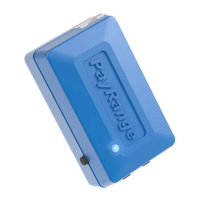
6. BluKeyProshouldpowerupandturnonsolidblueLED
Seesection“Troubleshooting/LightCodes”onpage11ifBluKeyProdoesnotpowerupordoes
notturnonsolidblueLED.
7. ConfigureBluKeyPro
Seesection“BluKeyProDeviceConfiguration”onpage8.
8. Configuremachine
Seesection“MachineControllerProgramming”onpage7.
9. Poweroffthemachine
10. PlacewiresandBluKeyProinsidethemachine
FixBluKeyProwithadhesivefastenertape.
11. Closemachinecontrolpanel
12. Powerupthemachine
13. Verifymachineoperation
Checkmobilepayment,coinpayment,startcycleandverifythatPayRangeappshows“Machine
inUse”
MachineControllerProgramming
BKProcanconnecttovariouspaymentacceptinginputs:coin,debit,serial.Dependingonmachine,
harnessandchosenoperationmode(pulseorserial)ofBKPro,machineshouldbeprogrammedtowork
inthechosenmodeandhavetheinputactivated.FollowthebelowsectionstoprogramLaundry
machine.


 To Next Page