PayRange|BluKeyPro|UserManual
Page4|23
BeforeInstallation
1. CreateyourPayRangeOperatorAccount
a. Gotohttp://manage.payrange.com.
b. Signupforacustomeraccount.Ifyoualreadyhaveacustomeraccount,Signin.
c. Onceloggedin,clickCreateanOperatorAccount(mayneedtoclickAccountfirst).
d. SelectOperatorSignup(atthebottomofthepage),followpromptstocreateyour
account.
e. SetupACHforpaymentwithyourbankroutingandaccountnumber.
Note:Thoughitispossibletoskipbankinginformation,Weeklypaymentswillcommenceonly
afterbankingissetup,andtherearemobilesales.
f. Issuefreevendcodeforinstallationtests.
2. SetupforYourMachineInstallers
PrepareInstallers:
a. DownloadandinstallthePayRangeapp.
b. Loadfundstotheappwithacredit/debitcard,orissuefreevendcode.
c. Prepareadditionalpointofsalematerialsuchastabletents,locationflyers,and
locationposters.Thesecanbedownloadedfreeat
https://www.payrange.com/resources.
Note: BecausethePayRangedeviceisinsidethemachine,theuserswon’tknowitisthere
unlessyoutellthem.ThemoreyoudotopromotePayRange,thequickertheywillbecomeloyal
usersofyourmachines.
d. Providenecessarytoolsandsupplies
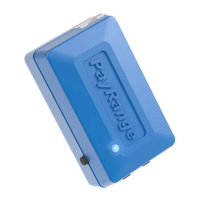
i. BluKeyProdevice
ii. Harnessforthemachine
Seesection“BluKeyProMachineHarnessSelectionGuide”belowtochooseappropriate
harness.
iii. Harnessforcardreader(ifmachinesareequippedwithcardreaders)
iv. Roomkeyandnecessarybuildingaccesscards
v. Operator(Installer/Service)keyforthemachine
vi. Wirecutters
vii. Pliers(forsplicecrimping)
viii. Smartphone,tabletorconnectedlaptopwithPayRangeapp
ix. Installerlogin&passwordintoOperatorAccount


 To Next Page