Chapter 2
Install the Extension Brackets
The extension brackets are used to transmit features on the
mainboard to external connectors that can be fixed to the system
chassis. Follow the steps below to install the extension brackets.
Note: All the ribbon cables used on the extension brackets carry a
red stripe on the pin-1 side of the cable.
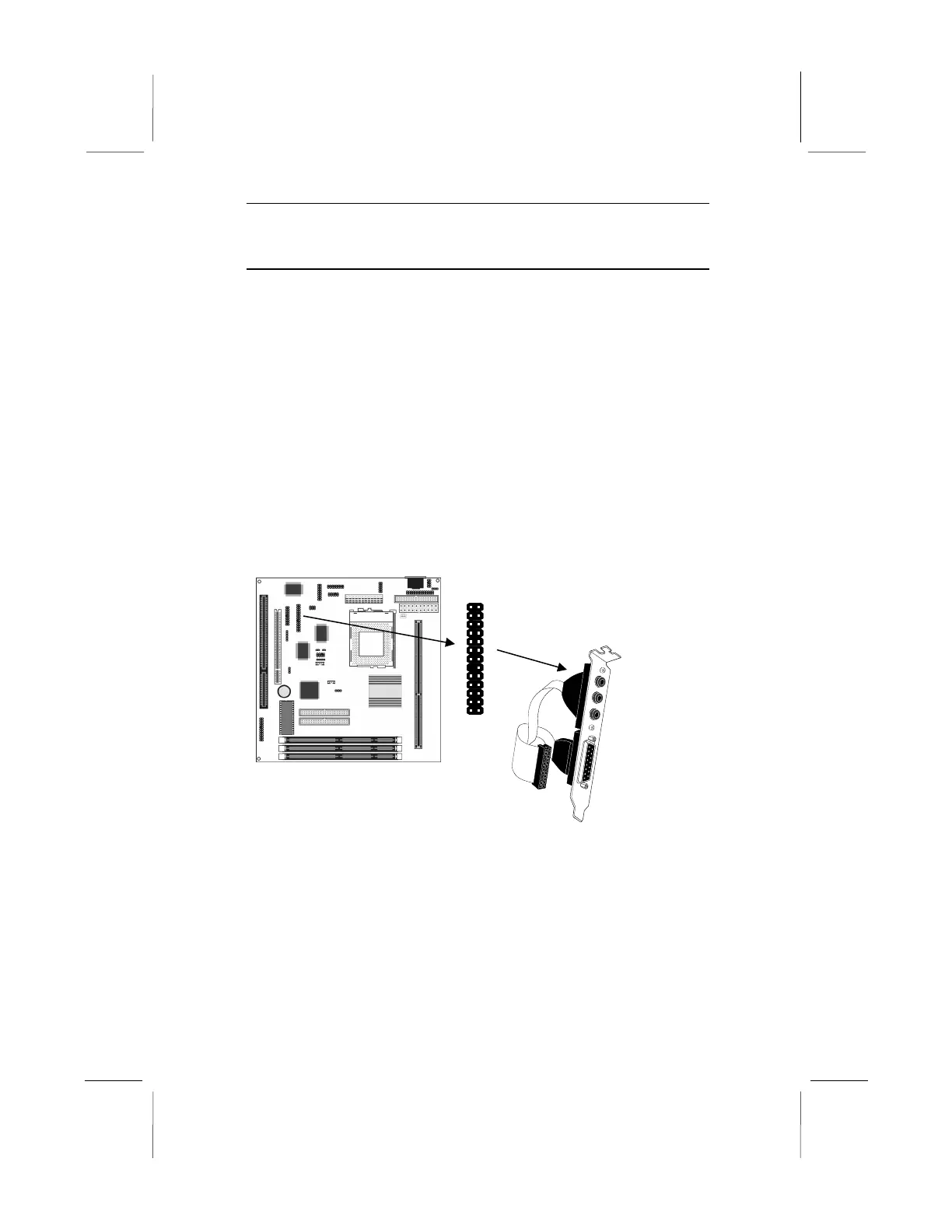
Audio Ports and Game/MIDI Port Extension Bracket
This bracket provides three audio jacks for stereo line in, stereo
line out and microphone. In addition it has a 15-pin D-connector
which can be used by either a joystick or a MIDI device.
If you are using a four channel speaker system, channel one and
two are output through the Stereo Line-out, and the rear speaker
channels three and four are output through Stereo Line-in.
1. On the mainboard, locate the J2 audio header for this bracket.
2. Plug the cable from the bracket into the J2 audio header.
3. In the system chassis, remove a blanking plate from one of the
expansion slots and install the extension bracket in the slot.
Use the screw that held the blanking plate in place to secure
the extension bracket.



 To Next Page