Brought to you by PCS Electronics, www.pcs-electronics.com
Take note of the COM port number here, you will need it later to configure the COM port inside RDSMAX4000+
windows control program. If you wish to change this port right click on the PCS USB-COM port and select Properties.
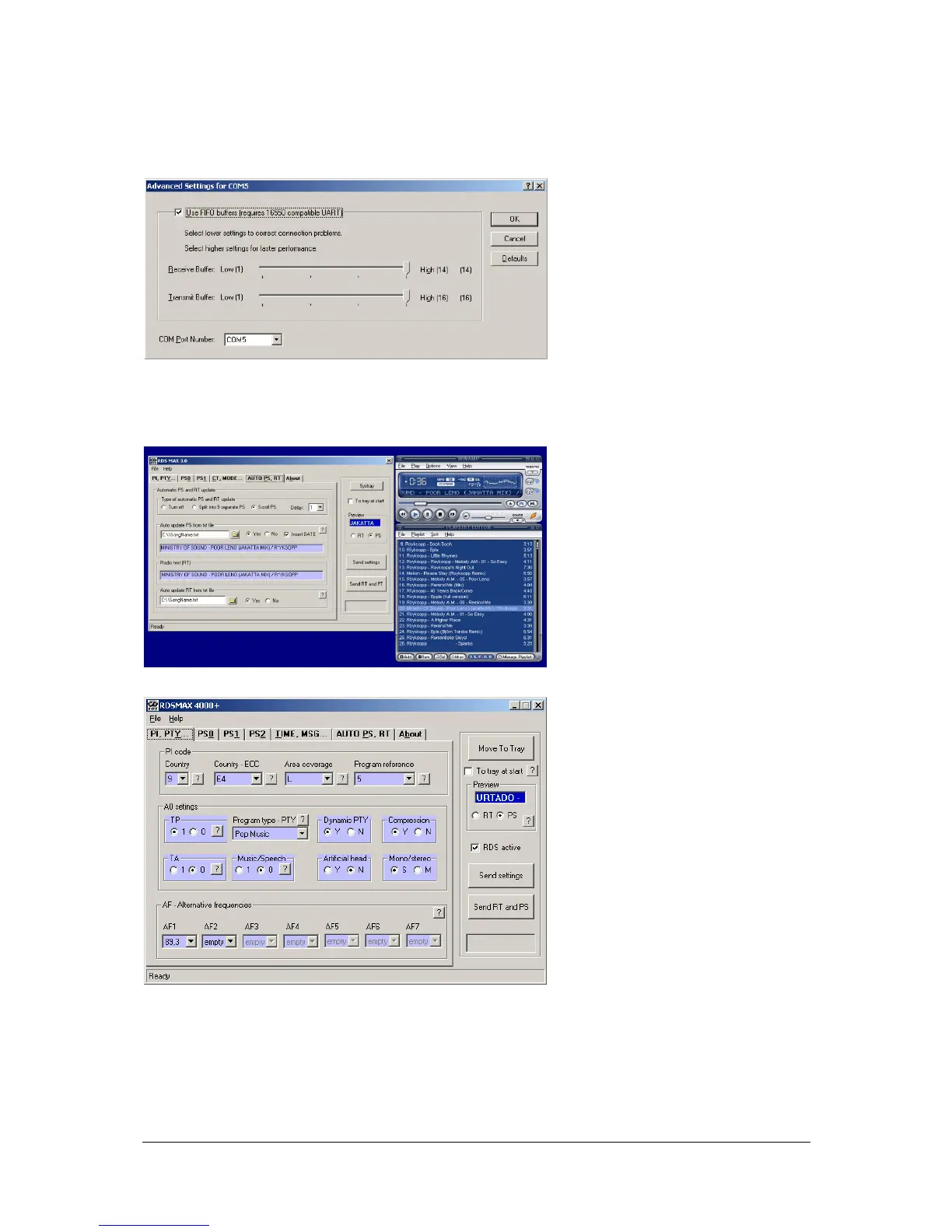
Now select the Port settings tab and click Advanced. Note you can set the COM port number as you wish:
Fig. 29: Configuring Com port for USB driver
Using windows control program
See the screen capture of the panel below. You can set main RDS parameters here. Click the question mark next to the parameter for explanation
of its functionality.
Fig. 30: RDSMAX 4000+ is pulling mp3 song name directly from Winamp (can be configured to insert song name into PS or RT or both
Fig. 31: RDSMAX 4000+ AF, MS, TA, TP, DI codes, ECC, PI….
If you want more info about the RDS encoder and using it or even developing your own RDS application, please look at the
manual for the RDS MAX 4000+ encoder. Also look at the manual for CyberMaxMicro 30, it also includes lots of useful
information about RDS.



 To Next Page