Getting Started Getting Started
Meter
Basics
Con
t
'd..
.
Push-button Functions
Function and Range Select
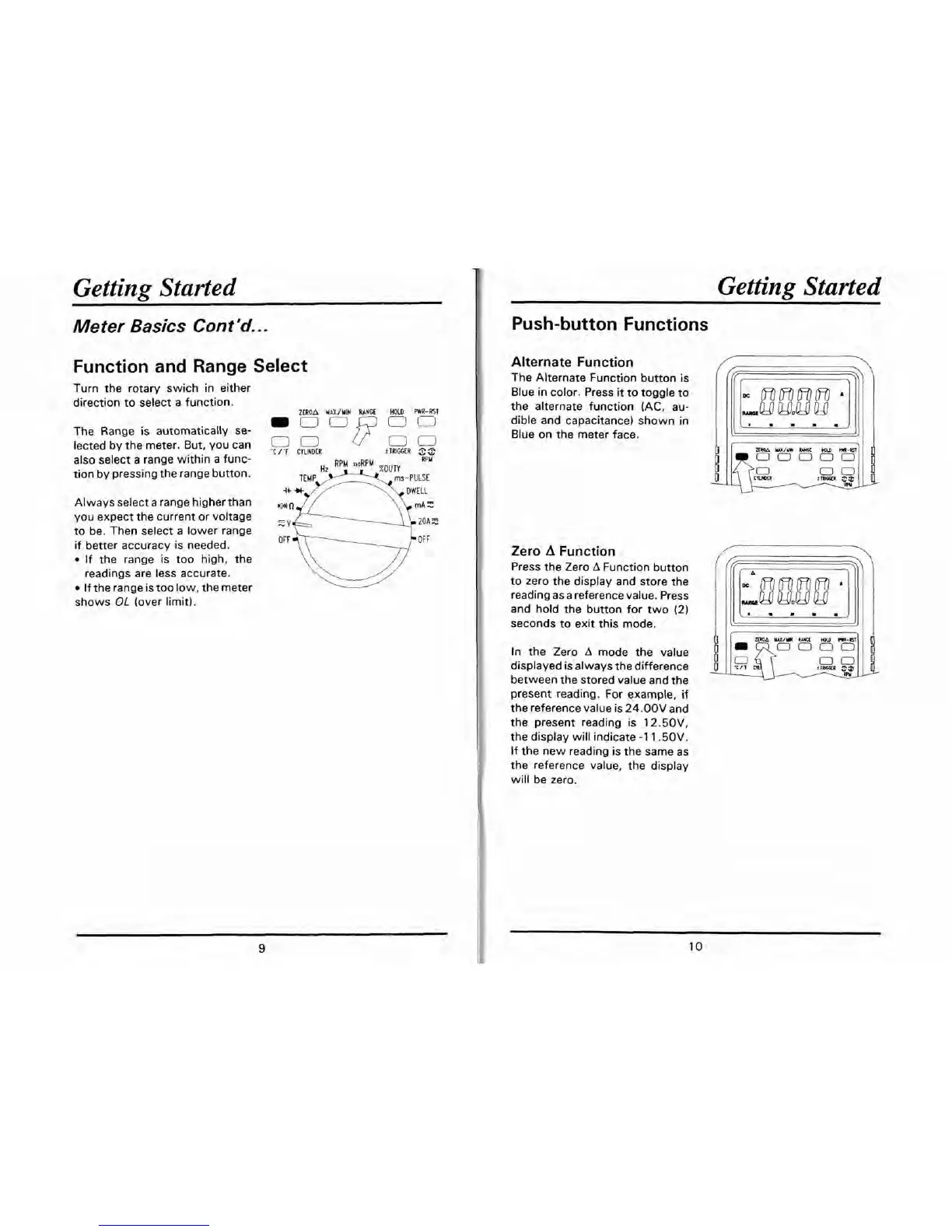
Turn the rotary swich in either
direction to select a function.
ZEROA
MeXfYIN
RANGE
HOLD
PWTf-RST
The Range is automatically se-
-O0F
DCl
lected by the meter. But, you can
cGR
00
+TRIGGER
3%
also select a range within a func-
tion by pressing the range button.
Always select a range higher than
,
you expect the current or voltage
,,
to be. Then select a lower range
if better accuracy is needed.
If the range is too high, the
readings are less accurate.
If the range is too low, the meter
shows
OL
(over limit).
Alternate Function
The Alternate Function button is
Blue in color. Press
it
to toggle to
the alternate function
(AC, au-
dible and capacitance) shown in
Blue on the meter face.
rmM
u/m
WIQ
HDlD
m*
~00000
Zero
A
Function
Press the Zero
A
Function button
to zero the display and store the
reading as a reference value. Press
and hold the button for two
(2)
seconds to exit this mode.
present reading. For example, if
the reference value is
24.00V
and
the present reading is
12.50V,
the display will indicate
-1
1.50V.
If the new reading is the same as
the reference value, the display
will be zero.
I
In the Zero
A
mode the value
displayed is always the difference
moa
ux/m
am
HDlD
mar
I
0000
$2
tlkaR
00
m
between the stored value and the


 To Next Page