DocumentNumber:PD196‐220R5 PDI‐P14W Page21of23
PDiCommunicationSystems,Inc.40GreenwoodLaneSpringboro,Ohio45066USAPH1‐800‐628‐9870FX937‐743‐5664
OSDLANGUAGE(On‐ScreenDisplay)
Youcanselectthelanguageyouwishtouseinyouron‐screendisplays..
1. PressSETUP.
2. PressCH▲orCH▼toselecttheOSDL anguagemenu.
3. PressVOL◄orVOL►toselectyourdesiredlanguage.
4. PressSETUPtoreturntothepreviousmenu.Toexit,pressSETUPuntiltheprogrammingmenusdisappear.
SOURCES
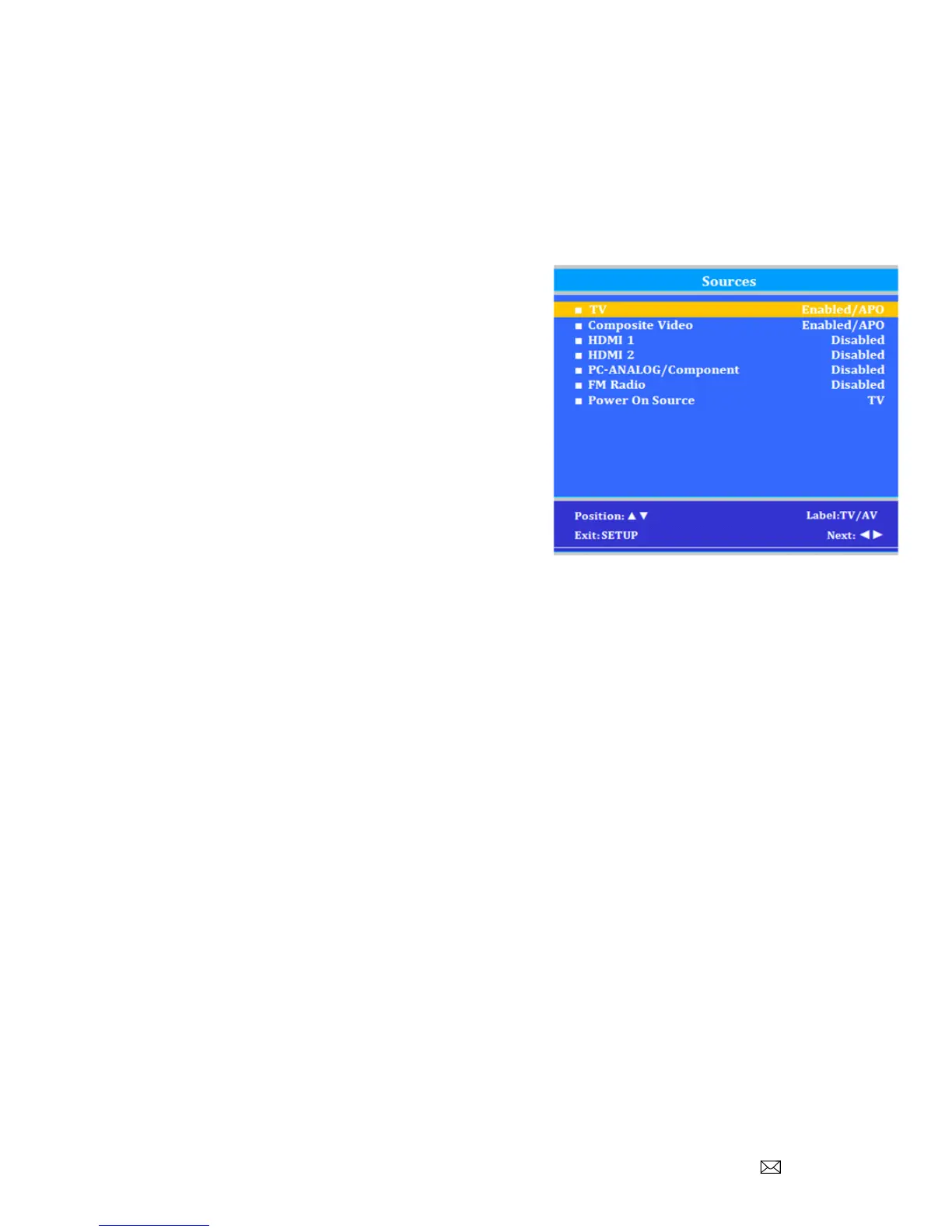
TheTV’ssignalsourcescanbeindividuallyEnabledorDisabled.
Theavailablesourcesinthismenucorrespondwiththe
componentsyouhaveconnectedtotheTV’sconnectors.
NOTE:PleasedisablealloftheTV’ssourcesthatarenottobe
used.ATVthatisswitchedtoanon‐connectedsourcegenerates
nuisancehospitalmaintenancecallsofTVNotWorking,whenin
facttheTVdoeswork,buthasbeensettoaninactivesource
1. FromtheSETUPmenu,pressCH▲orCH▼tohighlight
Source.
2. PressVOL◄orVOL►toselectit.
3. PressCH▲orCH▼tohighlightadesiredsource.
4. PressVOL◄orVOL►tochangethesourcestatusto
eitherDisabledorEnabled/APO(AutoPowerOff).
NOTE:SourcesthataregrayedoutarenotinstalledintheTV.Enabled/APOmeanstheTVwillturnoffif
thereisnovideo.
5. PressSETUPtoreturntothepreviousmenu.Toexit,pressSETUPuntiltheprogrammingmenusdisappear.
PoweronSource
TheTVcanbepresettopowerontoaselectedsource.
1. EntertheSourcesmenu
2. PressCH▲orCH▼highlightSources.
3. PressVOL►toselectit.
4. PressVOL◄orVOL►tochangetothesourcethatyouwanttheTVtopoweronto.
NOTE:Thesourcemustbeenabledbeforeitcanbechosenasapoweronsource.TheLastentrycausestheTV
topowerontotheLastsourceselected.
5. PressSETUPtoreturntothepreviousmenu.Toexit,pressSETUPuntiltheprogrammingmenusdisappear.



 To Next Page