PEAK FCB4N2-Programmable MIDI foot controller
Page 6 of 9
BASIC OPERATION
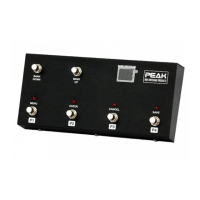
Please refer to the text that appears under the switches when you are going to use the FCB4N2 unit in the
basic operation mode. On power up, the latest preset will be selected and transmitted as a MIDI message
via MIDI out (Initial value is Bank#1, preset#1).
Bank and Preset selection.
Press the
BANK UP or BANK DOWN switch to move/scroll from the current bank to another. The
BANK/PROGRAM display will flash and no MIDI message will be transmitted until a preset switch is
selected
(P1, P2, P3 or P4 switch). You can hold on the BANK UP or BANK DOWN switches to scroll past
the current bank continuously and the
BANK/PROGRAM display will loop once it reaches bank #32.
You can select a preset by press the
P1, P2, P3 or P4 switch, and then the selected preset LED above the
switch will be on with MIDI messages being transmitted.
SETUP MODE AND PRESET PROGRAMMING
Programming Mode Entry.
When you supply power to the FCB4N2 unit it goes in to operating mode automatically. If you want to
program a preset then you need to enter programming mode by following these steps:
1. Select the preset that you want to configure by using the BANK and PATCH buttons.
2. Press both
BANK UP and BANK DOWN switches together and hold on until the
BANK/PROGRAM display shows the characters below:
3. The
BANK/PROGRAM display as shown above means
“Programming Mode Entry”
then release
the
BANK UP and BANK DOWN switches.
4. As you selected a preset already then the
BANK/PROGRAM display will be is flashing “P1” so
you are now ready to program and can set parameters as below:


 To Next Page