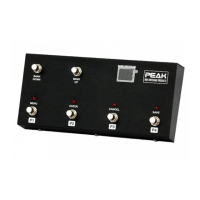
PEAK FCB4N2-Programmable MIDI foot controller
Page 9 of 9
PC4 MIDI Channel#: CH#1 – CH#16
(selectable but default is OFF)
PC4 Program Change#: PC#0 – PC#127
(selectable but default is PC#0)
CC MIDI Channel#: CH#1 – CH#16
(selectable but default is OFF)
CC1 Controller#: CC#0 – CC#127
(selectable but default is OFF)
CC1 Control Value#: 0 – 127
(selectable but default value is 127)
CC2 Controller#: CC#0 – CC#127
(selectable but default is OFF)
CC2 Control Value#: 0 – 127
(selectable but default value is 127)
CC3 Controller#: CC#0 – CC#127
(selectable but default is OFF)
CC3 Control Value#: 0 – 127
(selectable but default value is 127)
CC4 Controller#: CC#0 – CC#127
(selectable but default is OFF)
CC4 Control Value#: 0 – 127
(selectable but default value is 127)
CC5 Controller#: CC#0 – CC#127
(selectable but default is OFF)
CC5 Control Value#: 0 – 127
(selectable but default value is 127)
CC6 Controller#: CC#0 – CC#127
(selectable but default is OFF)
CC6 Control Value#: 0 – 127
(selectable but default value is 127)
CC7 Controller#: CC#0 – CC#127
(selectable but default is OFF)
CC7 Control Value#: 0 – 127
(selectable but default value is 127)
CC8 Controller#: CC#0 – CC#127
(selectable but default is OFF)
CC8 Control Value#: 0 – 127
(selectable but default value is 127)
Bank rank: Bank#1 – Bank#32
Total Presets: 128 Presets
MIDI Cable Support
The FCB4N2 is a standard MIDI foot controller that you can connect to any MIDI equipment you want via a
standard 5 pin MIDI cable. If you want to supply phantom power into the FCB4N2 unit, it is available by
using a 7 pin midi cable with pins 6 and 7 used for the power supply. The polarity does not matter for those
pins. If you want to supply phantom power via a 5 pin midi cable then the circuit reserved MIDI DIN pin 2
for ground and pin 3 for supply but you have move a jumper on the pcb to activate this. We disable this
phantom power for protection of your MIDI devices. Please read your MIDI device’s instruction before
enabling the phantom power.


 To Previous Page