1. Connect your LIN interface as master, see chapter
StartandInitializePLIN-ViewPro.
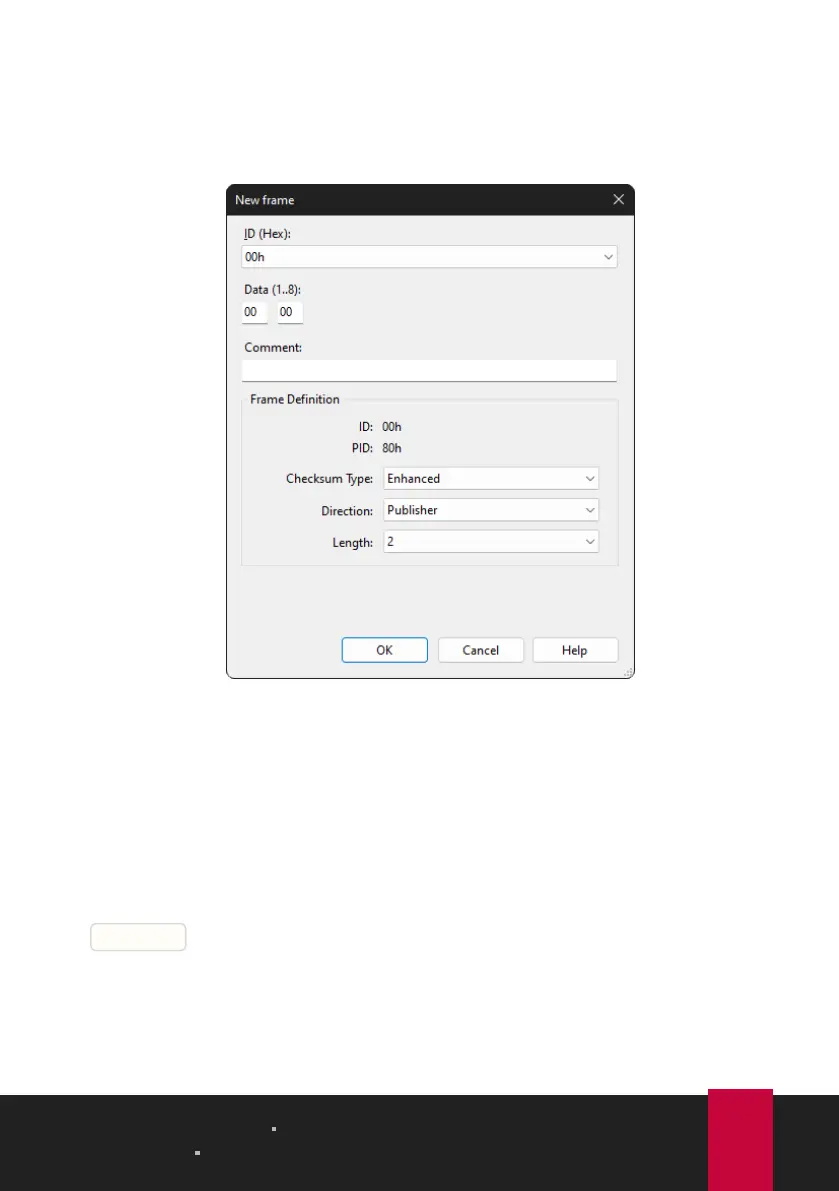
2. Select the menu command Transmit > New Frame.
The New frame dialog box appears.
3. Select a frame from the ID list.
4. Select "Publisher" for Direction.
The Data fields can now be filled.
5. Enter the data of the LIN frame in the Data fields.
6. Confirm the entries with OK.
The configured message appears in the Transmit window. „0" is displayed in the
Count column.
7. Send the selected frame with the menu command Transmit > Send or with the
|Space bar|.
The message is sent on the LIN bus and appears in the Receive window. „1"for
Transmit and Receive is displayed in the Count column.
4 LIN Monitor PLIN-View Pro PLIN-USB
User Manual 2.1.0 © 2023 PEAK-System Technik GmbH
17



 To Next Page