Change data
1. Double-click the message in the Transmit window.
The New frame dialog box appears again.
2. Change the data and confirm with OK.
The changed data will be displayed in the Transmit window.
3. Send the frame again.
The data in the Receive window is updated. The value in the Count column is
increased by one for Transmit and Receive.
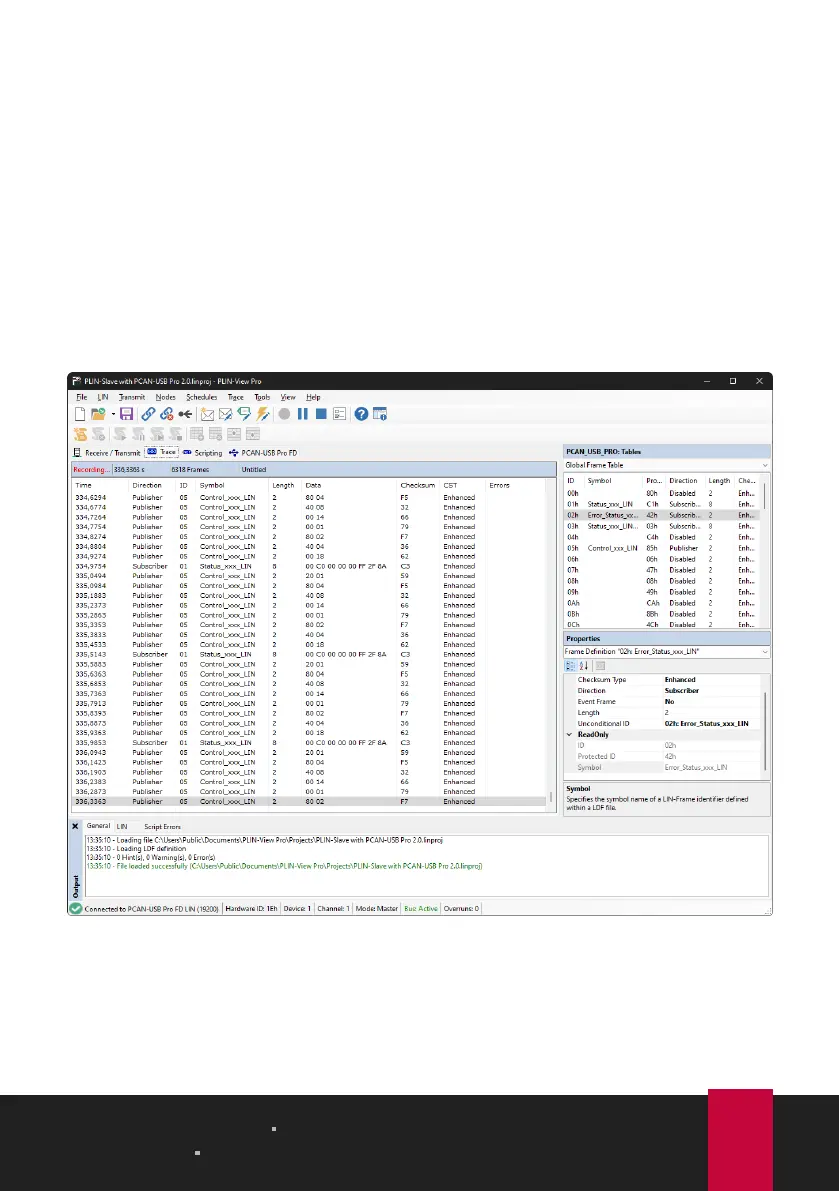
4.5 Trace Tab
The tracer records all sent and received LIN frames if required. The header displays
the current status, the complete runtime and the number of recorded LIN frames.
Newly recorded LIN frames are appended to the bottom of the list. Depending on
the selected setting, recording is done temporarily or directly to a file.
4 LIN Monitor PLIN-View Pro PLIN-USB
User Manual 2.1.0 © 2023 PEAK-System Technik GmbH
18



 To Next Page