Measuring AC Voltage
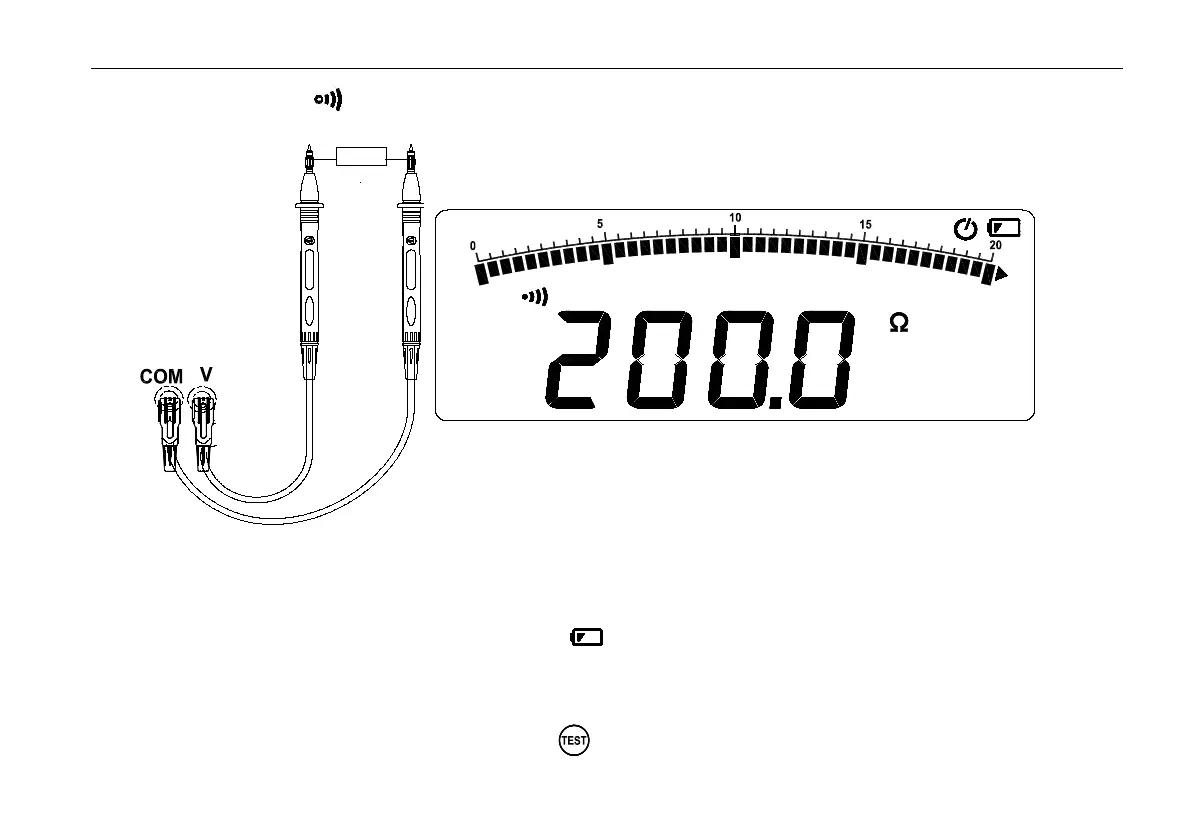
Switch rotary switch to position,Input terminals and test leads connecting as follows figure , The continuity test
features a beeper that sounds as long as a circuit is complete. The beeper sounds when a short (<3 Ω).
Insulation Test
Warning : When the test voltage output, do not rotate the rotary switch to prevent damage to the meter.
Insulation tests should only be performed on dead circuits. Check the test leads before testing.
Switch rotary to Insulation position.if meter display ,please replease battery.
Insert test leads to High 、 Low terminals.if the meter display Live ,indicator the meter cannot measure on live
circuit.please power off Live circuit..
Press TEST.V button to select output voltage;
In insulation measuring ,the screen alternate turn on or off ,the primary screen display the resistance value,and


 To Next Page