Accessories
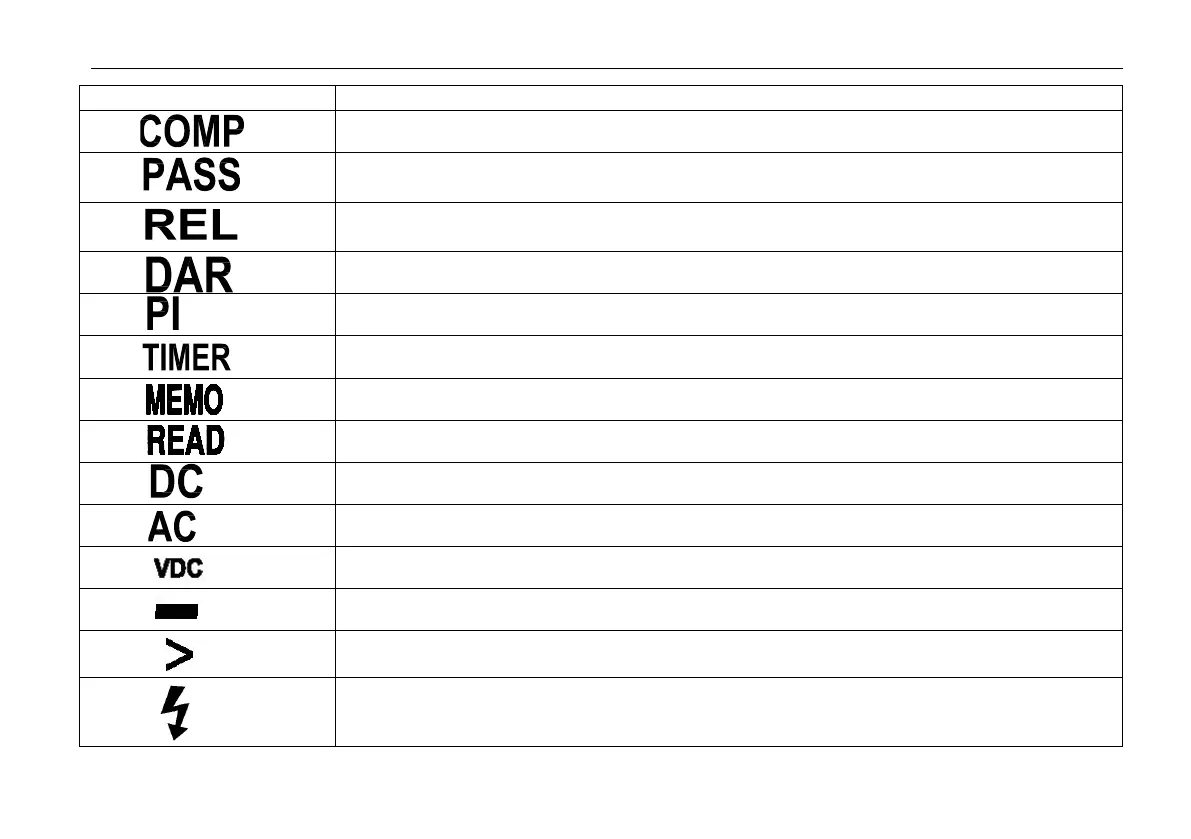
Compare function is selected
When compare function is selected,when the measuring value between upper limited value
and lower limited value ,display this sign.
Compare function is selected
In insulation test mode, display the DAR value
In insulation test mode, display the PI value
Timer function is selected
Store function is selected
View the memory data,when the data is invalid,display---
DC Voltage function is selected
AC Voltage function is selected
In insulation test mode ,test voltage unit
Minus, When the measure value lower than 0,display the sign.
Greater symbols,In insulation test mode, indicates the measure value overflow.
Unsafe voltage warning,In insulation mode,indicates greater 20V voltage is detected on
the input terminals.


 To Next Page