7. Battery Replacement
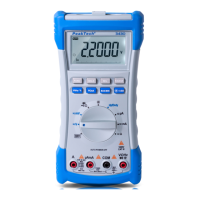
1. When the low battery symbol appears on the LCD, the six
1.5V ‘AA’ batteries must be replaced.
2. Turn the meter off and remove the test leads.
3. Unsnap the tilt stand from the rear of the meter.
4. Remove the four screws holding the battery cover.
5. Remove the battery compartment cover
6. Replace the batteries observing Polarity.
7. Affix the rear cover and secure the screws.
8. Reattach the tilt stand.
-47-


 To Next Page