43
4.1 Description
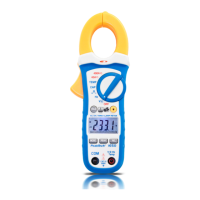
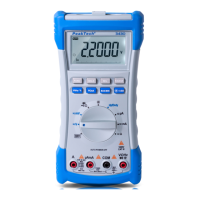
10 A Amperes Input Terminal (13):
For current measurements (AC or DC) up to 10 A when the rotary
selector is in 10 A position.
µA/mA Milliammeters Input Terminal (13)
This input terminal is used for measuring currents up to 250 mA
when the rotary selector is in µA or mA position.
COM Common Terminal (12):
Return terminal for all measurements.
V/Ω Volts or Ohm Input Terminal (11):
Volts, Ohms, Continuity, Diode and Frequency
Data Hold (6):
The actual value will be freeze in the LCD-display.
To release the DATA-Hold Mode, press HOLD-button (6) again to
return to normal measurement operation.
Relative Measurement (REL) (5):
Example:
If the stored Relative value is 20.00 V and the present measured
value is 22.00 V, the display shows a value of 2.00 V. If the value
is the same as the stored Relative value, the display shows 0.00
V.
* Press the „REL“ button to activate the REL-mode.
* Auto range selection will be deactivated and the present range
will be stored.
* Press „REL“ again to show the stored value..
* Press and hold the „REL“-button for 1 second or turn the rotary
switch to remove the stored value and to leave the „REL“-mode.


 To Next Page