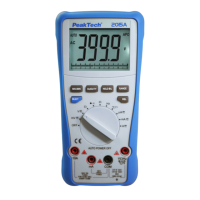
5.8. Capacitance measurements
Warning:
To avoid electric shock, disconnect power to the unit under test and
discharge all capacitors before taking any capacitance
measurements. Remove the batteries and unplug the line cords.
1. Set the function switch to the “Ω/ /CAP“ - position.
2. Press the "F2" button until the "CAP" symbol appears in the
display.
3. Insert the black test lead into the negative COM jack and the red
test lead into the positive V//CAP/Hz%/Temp-jack.
4. Touch the test leads to the capacitor to be tested. The display
will indicate the proper decimal point, value and symbol.
-89-


 To Next Page