7. Overload settings
With a preset overload an OVERLOAD symbol flashes
on the display when the set value is exceeded. This
value is normally set to 16A.
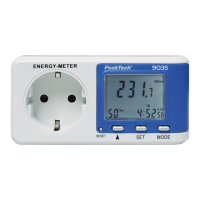
• Press the MODE button for about 5 seconds in the
voltage measurement, current measurement and
power measurement menu to activate the overload
settings.
• Press the MODE button twice to switch from
PRICE1 and PRICE2 to the OVERLOAD settings.
• Press the SET button. The first digit (tens of
amperes) starts to flash.
• Press the ▲ key to change this value.
• Press the SET button again to select the second
digit (one amp).
• Press the ▲ key to change this value.
• Press the SET button again to select the third digit
(0.1 amps).
• Press the ▲ key to change this value.
• Press the SET button again to select the fourth digit
(0.01 amps).
• Press the ▲ key to change this value.
• Confirm with the SET key
-33-


 To Next Page