TM
pebblebee.com
7
iOS USER MANUAL – AUGUST 2019
Setting up the App
The Pebblebee Finder app can be downloaded by searching for the Pebblebee
Finder app in the App Store or by visiting pebblebee.com/download.
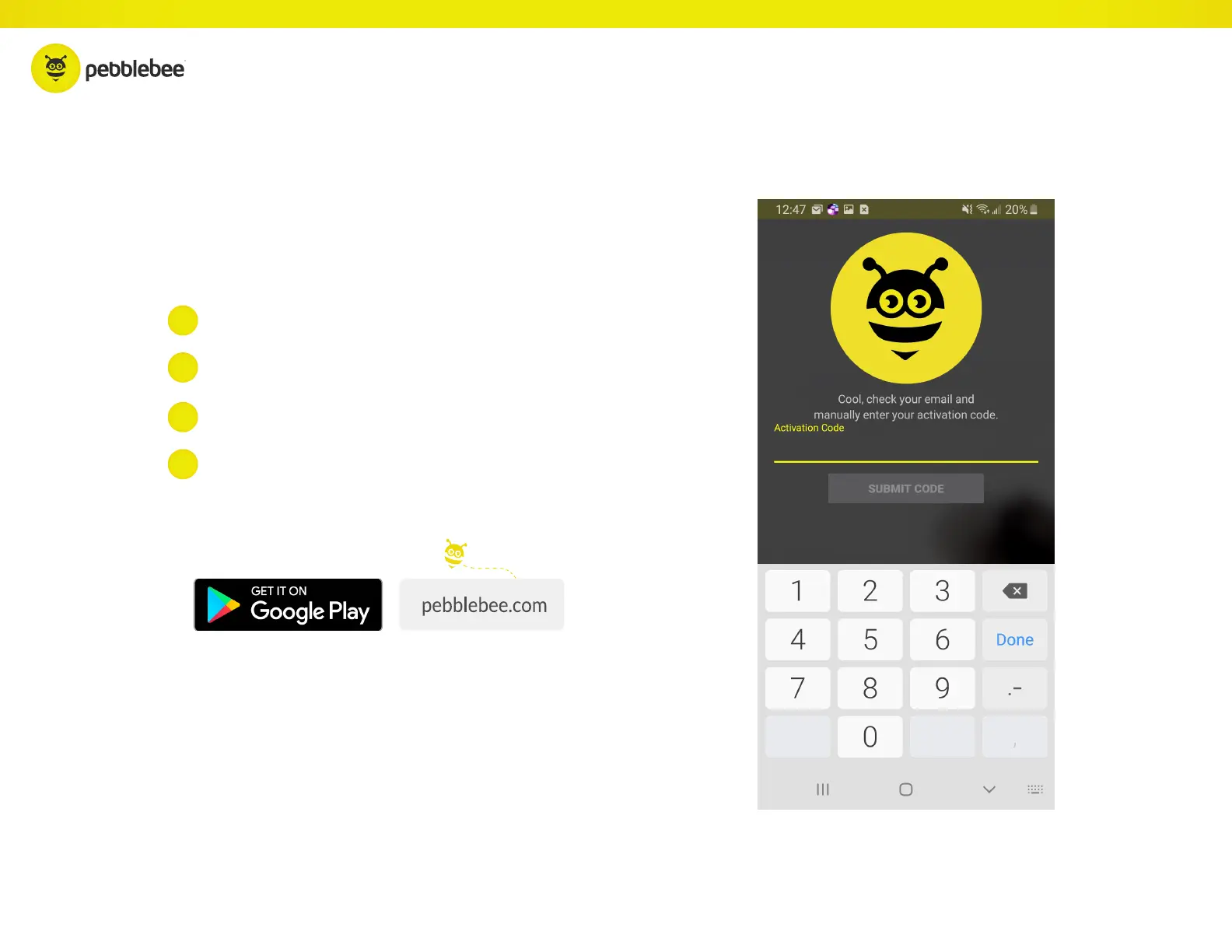
Open the Pebblebee
®
App
Open your email and retrieve your activation code.
Enter email and tap ‘submit’ button
Enter your zip code in the app and tap Submit Code
1
3
2
4



 To Next Page